A test drive booking platform for Mahindra's electric SUVs
Mahindra Electric launched two new electric SUVs and wanted a select group of high-profile guests, from celebrities to business leaders, to drive them first. We designed and built the invite-only booking site they used, and an ERP tool for the teams running the drives and tracking the vehicles.
- The brief
- Who it was for
- My role
A test drive, run like a guest list.
This was not a public booking form. Every guest arrived with a personal invite, picked the car and the slot that suited them, and the car came to them. The experience had to feel as premium as the vehicles, while staying inside Mahindra's brand guidelines.
Behind it, someone had to know which car was where, which slots were free and which bookings needed a call. That became the second product.
Who it was for
Two audiences, two products
Invited guests
Celebrities and business leaders with little time and high expectations. Every step had to be quick, clear and unmistakably premium.
The Mahindra brand
Two newly launched electric SUVs, presented in Mahindra's own visual language, with nothing that felt generic.
The operations team
The people delivering the cars, who needed to track vehicles, manage bookings and coordinate every drive in one place.
My role
I designed the booking experience on desktop and mobile, and the ERP screens the operations team used.
- Landing
- Access
- Booking for someone
- Car, slot, place
- Changes
- Mobile
- Visual system
02 A
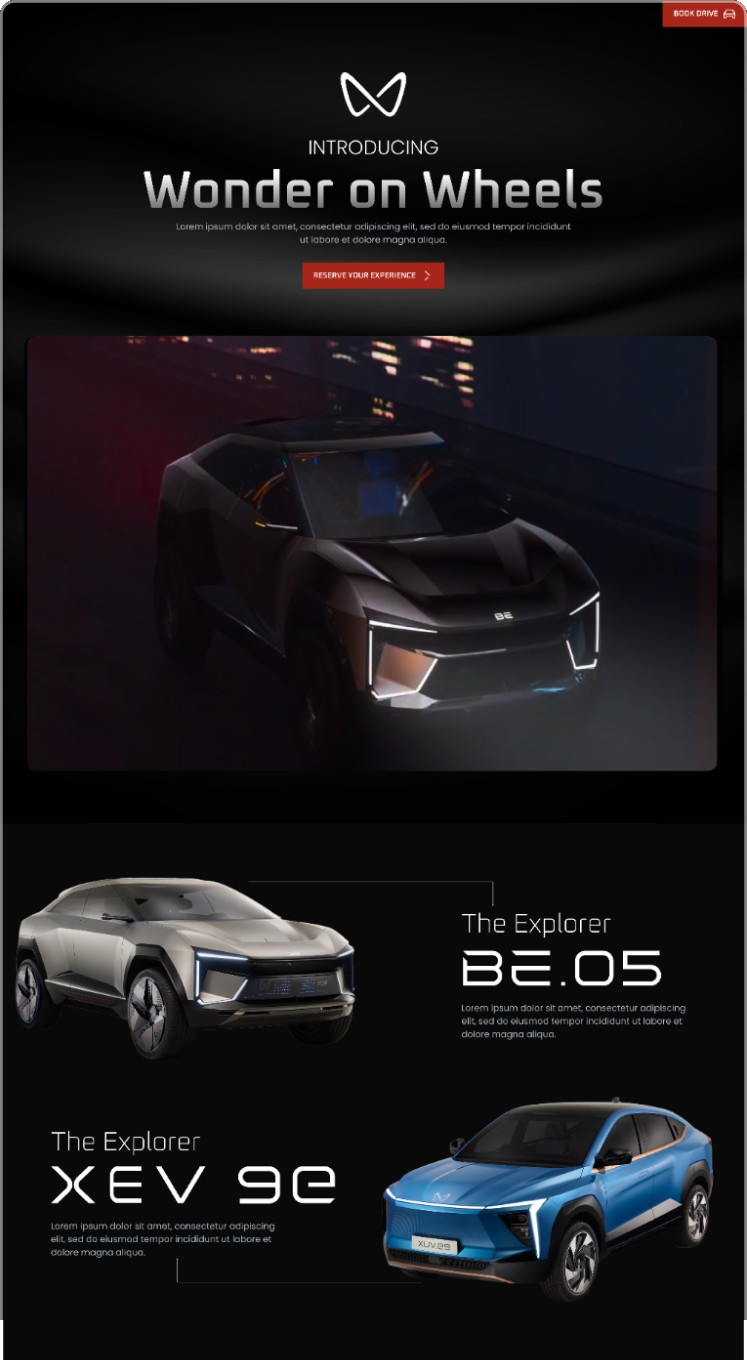
A launch page that feels like the car.
Dark, cinematic and spare, so the vehicles carry the page. One action, reserve your experience, stays in reach throughout.
02 B
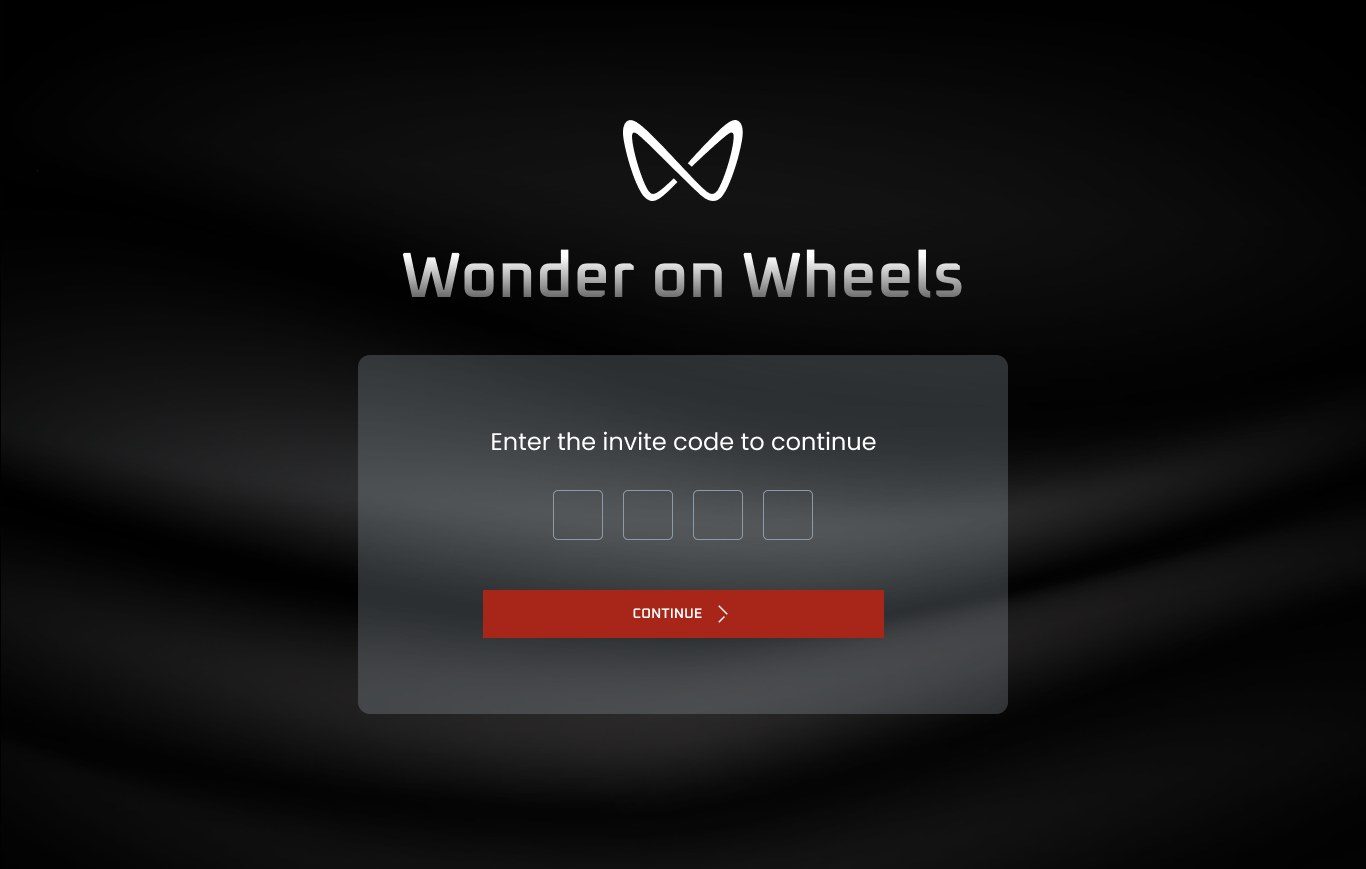
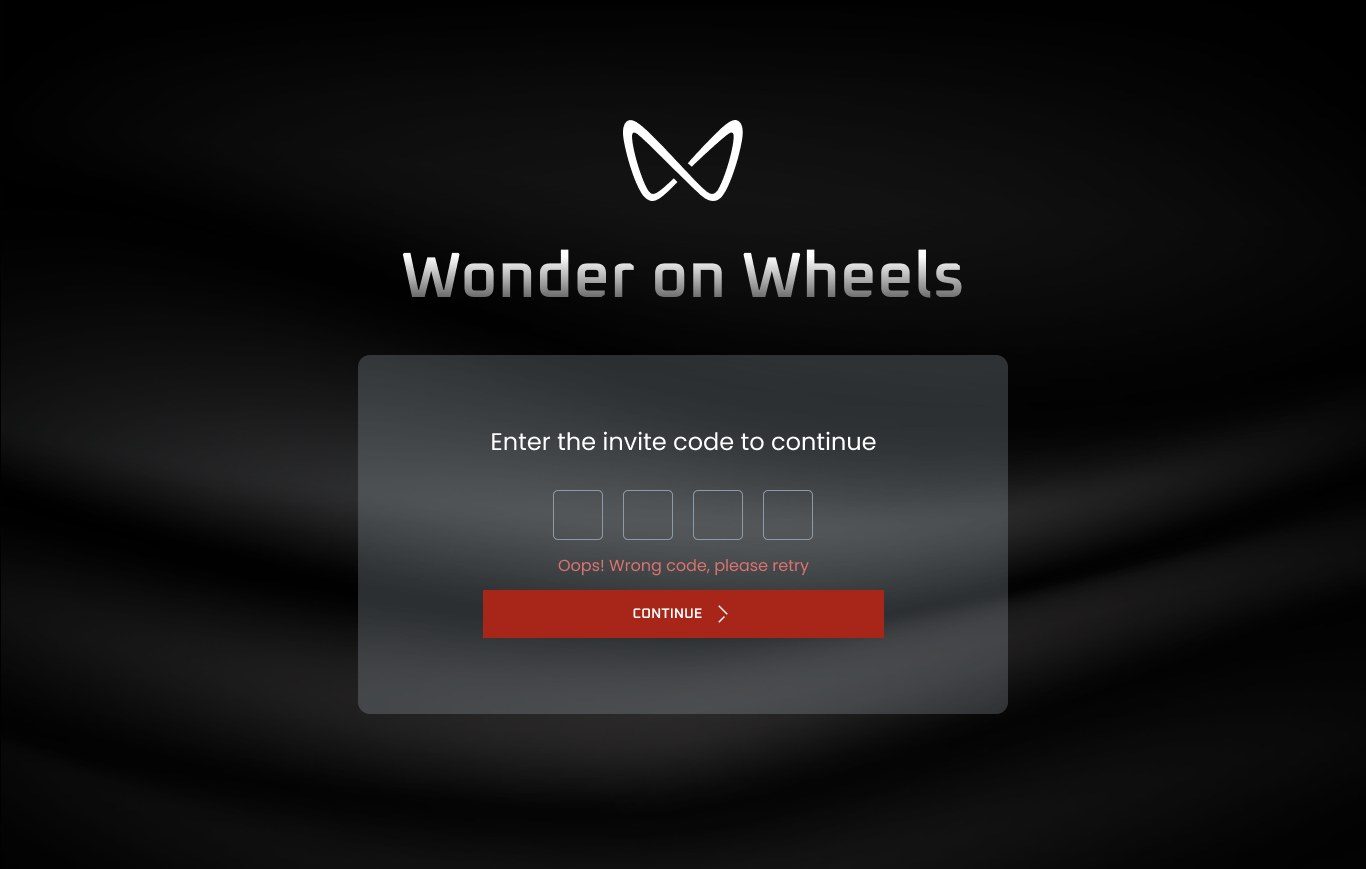
Invite only, from the first screen.
The booking opens with a four-character invite code. A wrong code gets a short, polite message in place, not a dead end.
02 C
Built for people who don't book their own drives.
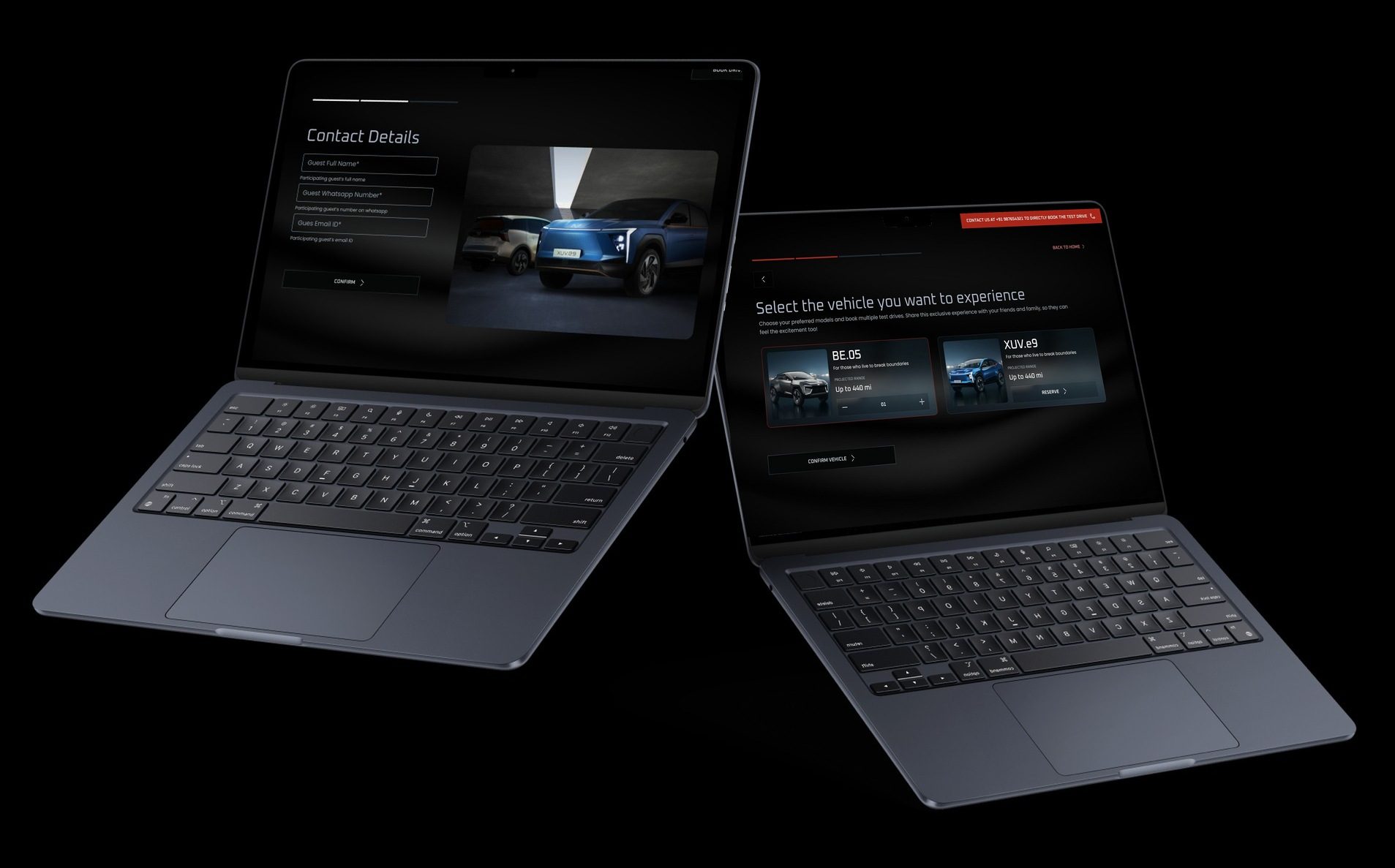
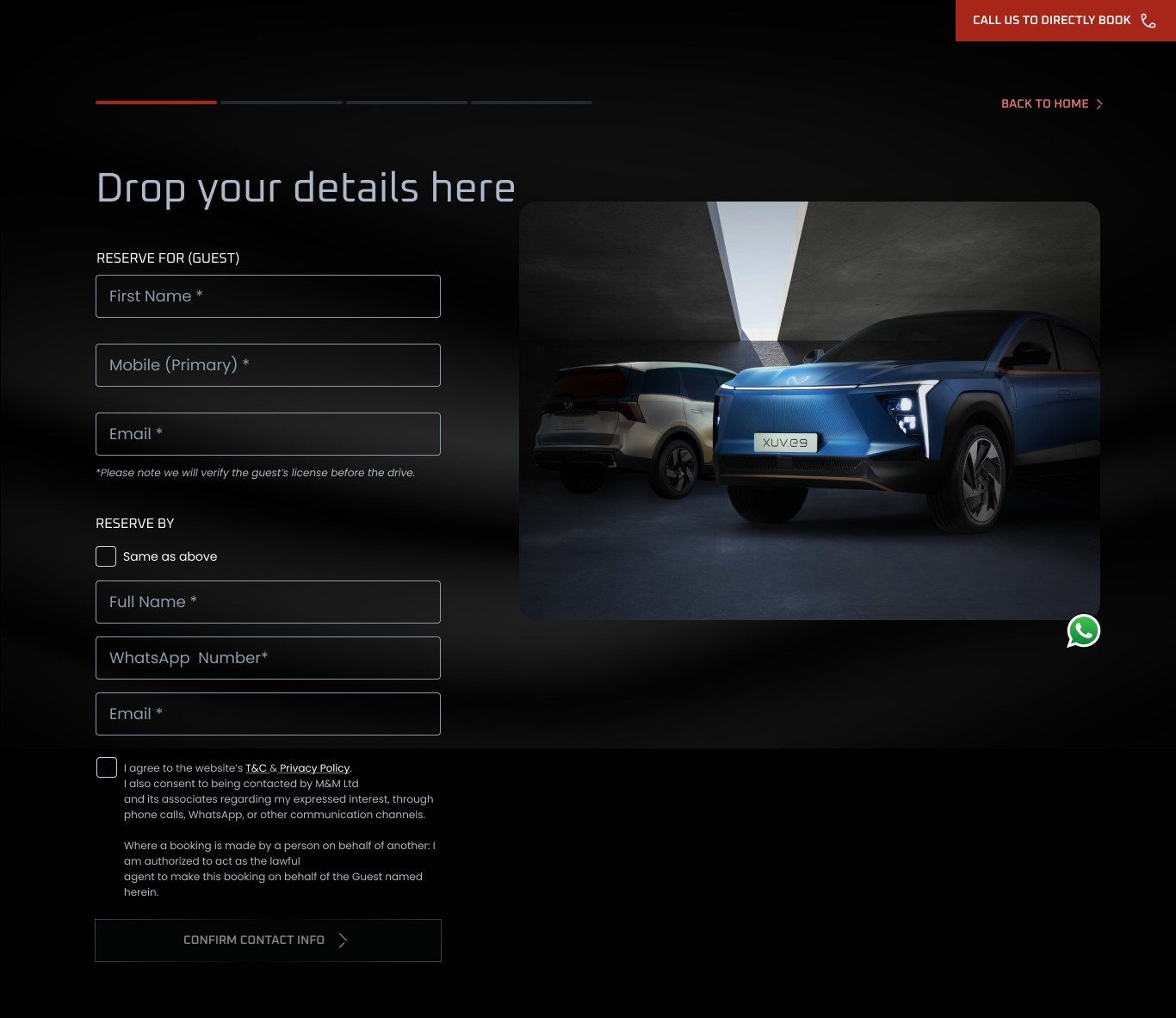
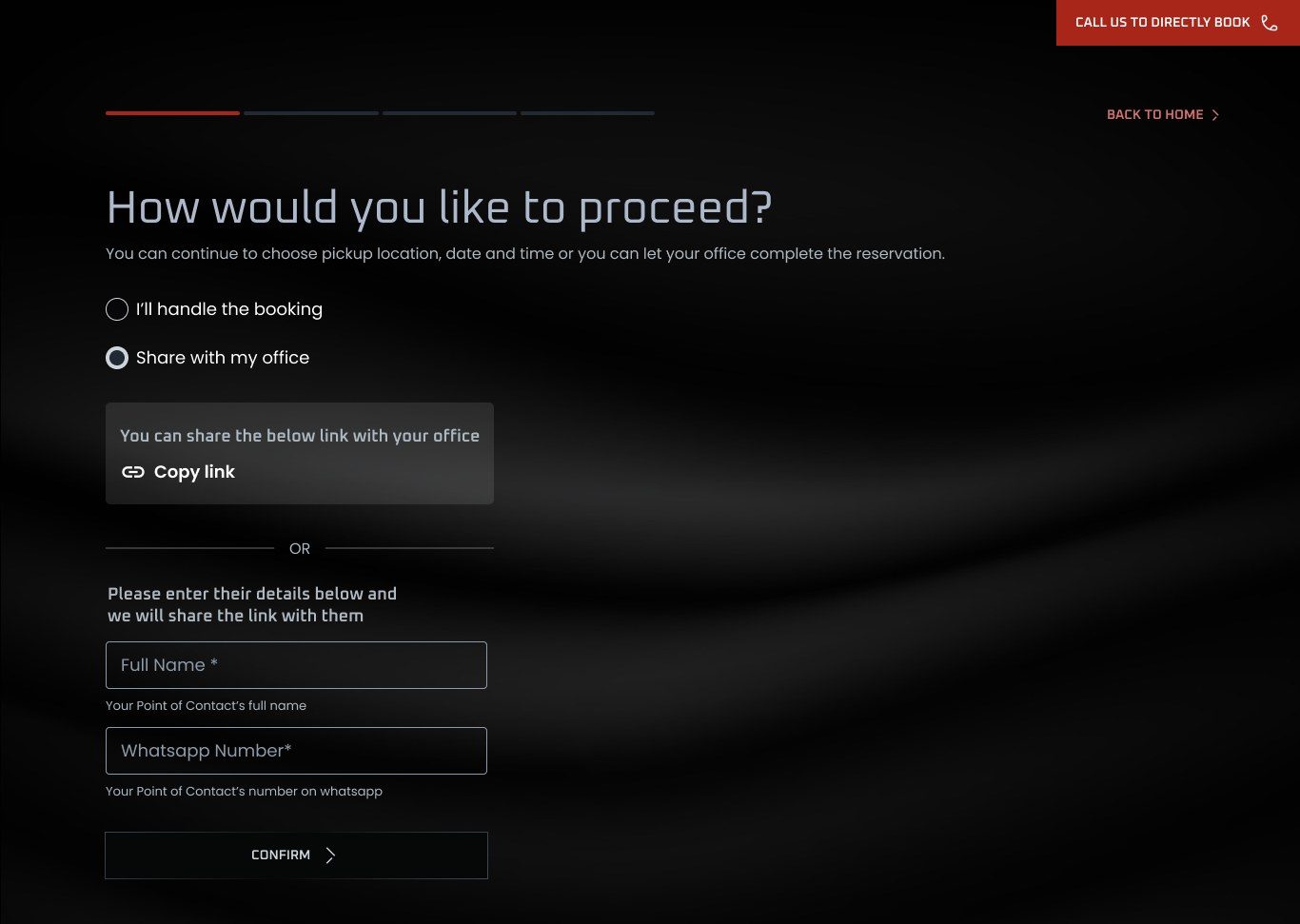
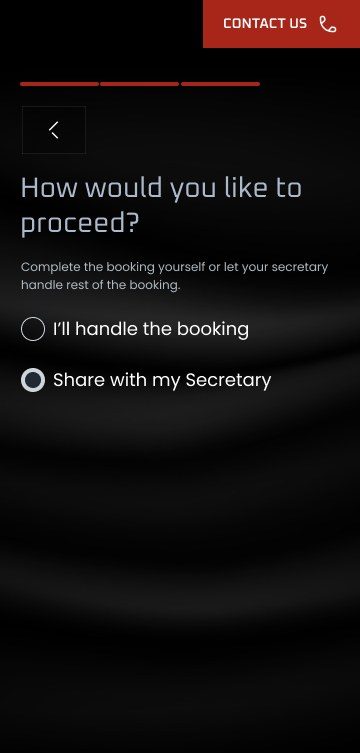
Many of the guests have an office that handles their calendar. The flow lets someone book for a guest, or hand the rest of the booking to the guest's office.
- 01
Book on someone's behalf
Separate details for the guest and for the person booking, with "same as above" when they are one person.
- 02
Hand it to the office
Copy a link for the guest's office, or enter a point of contact and the link is sent to them on WhatsApp.
- 03
Set expectations early
The form says up front that the guest's licence is checked before the drive, so there are no surprises on the day.
02 D
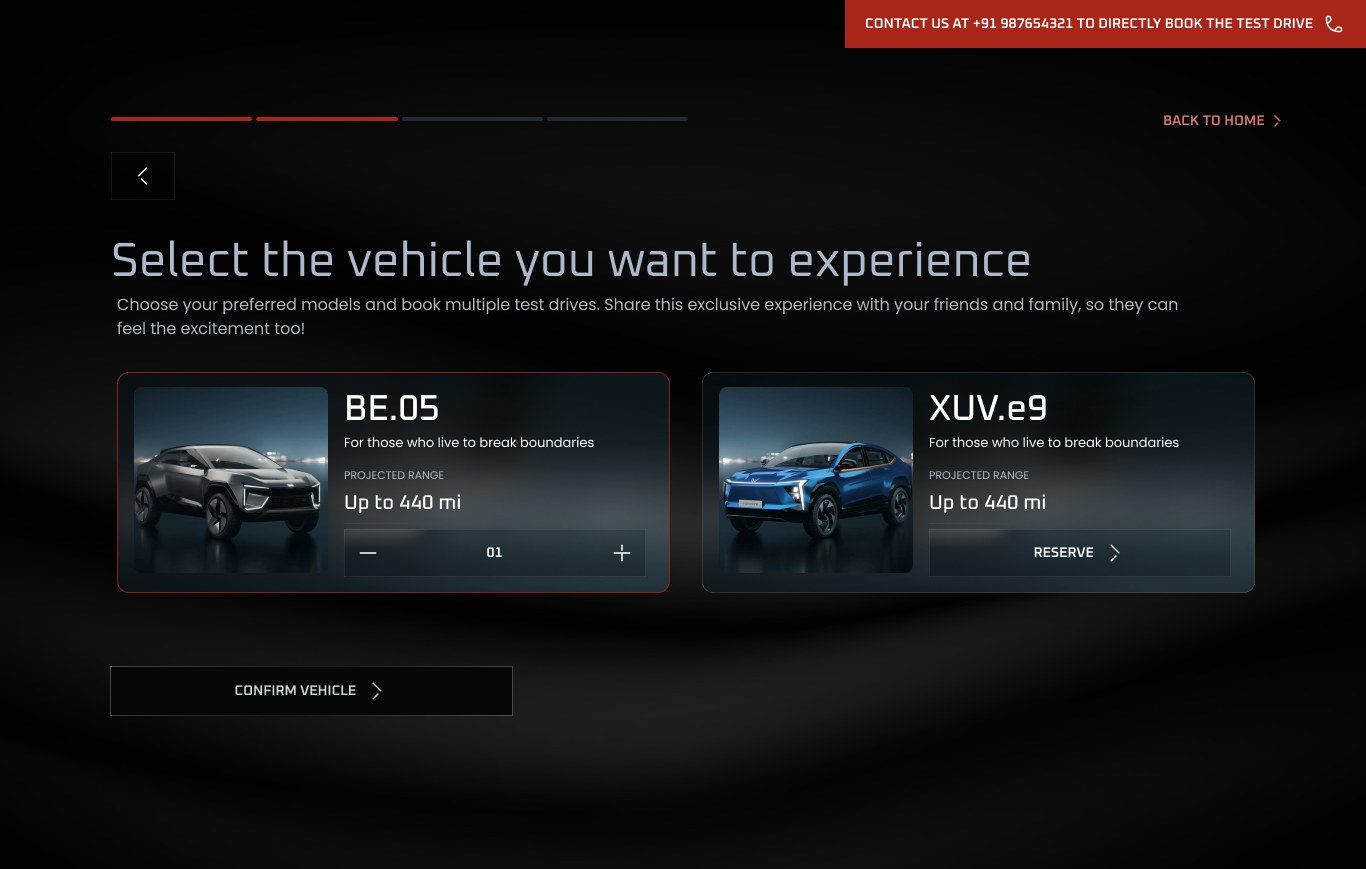
Car, slot and place, then done.
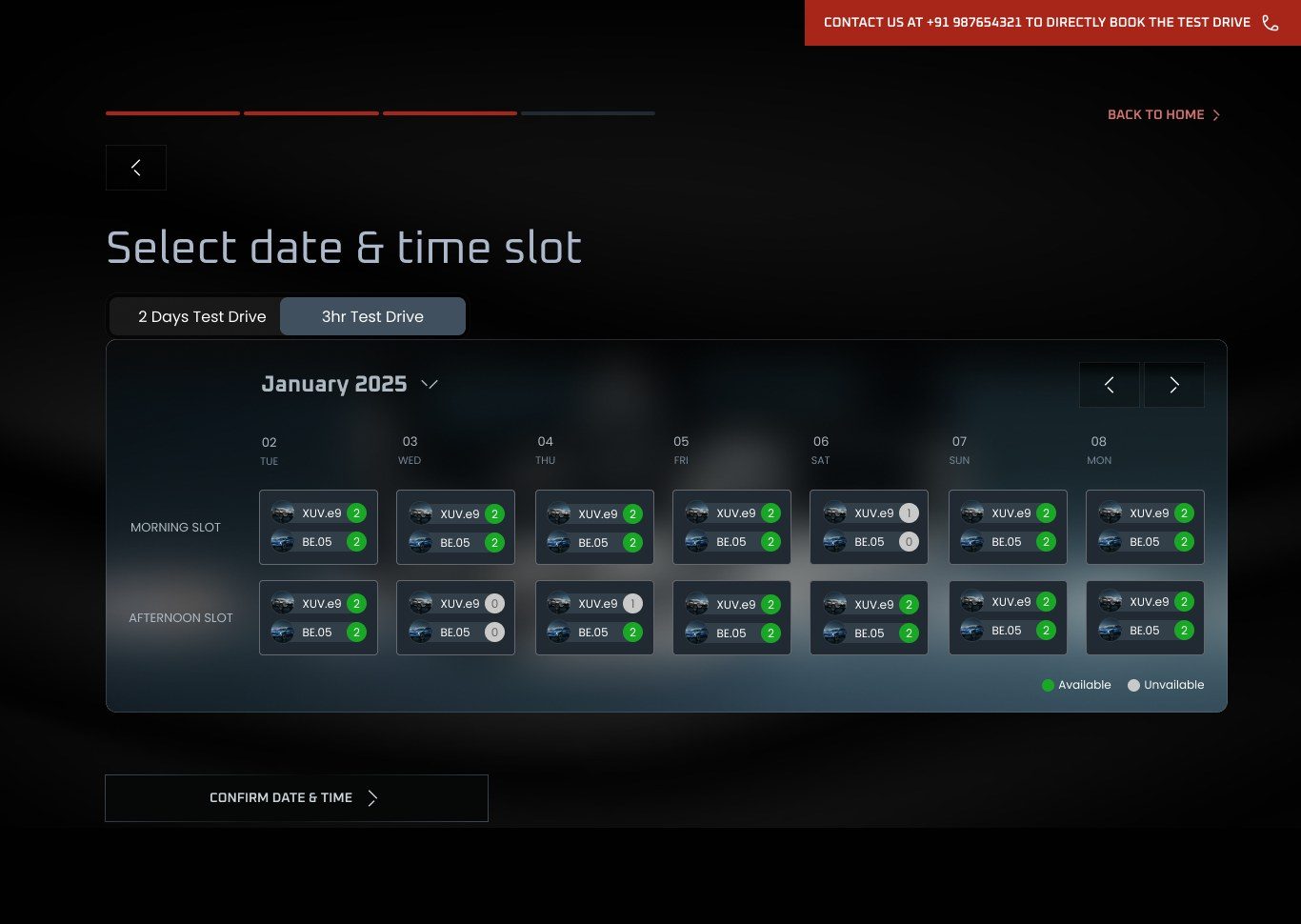
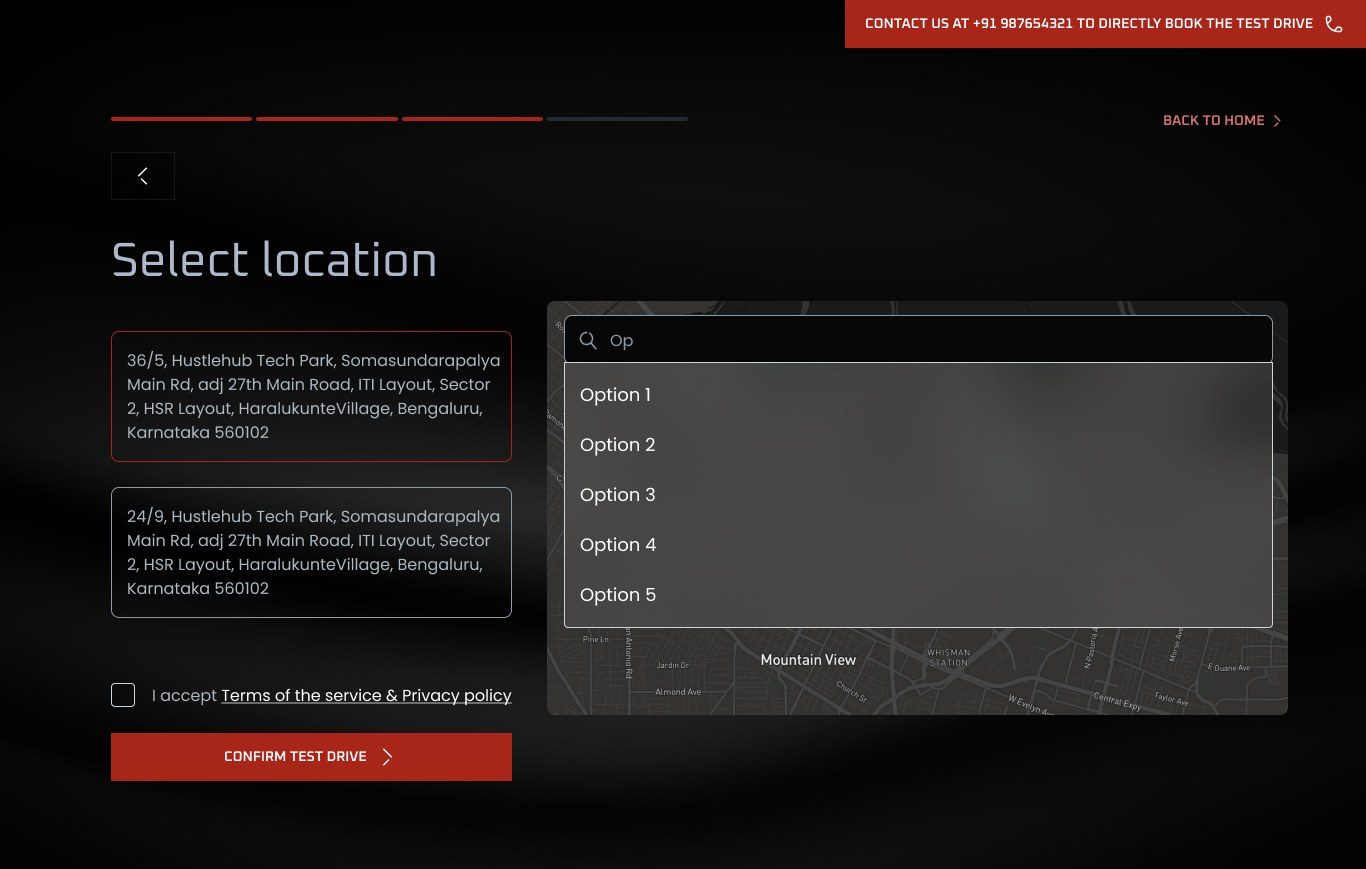
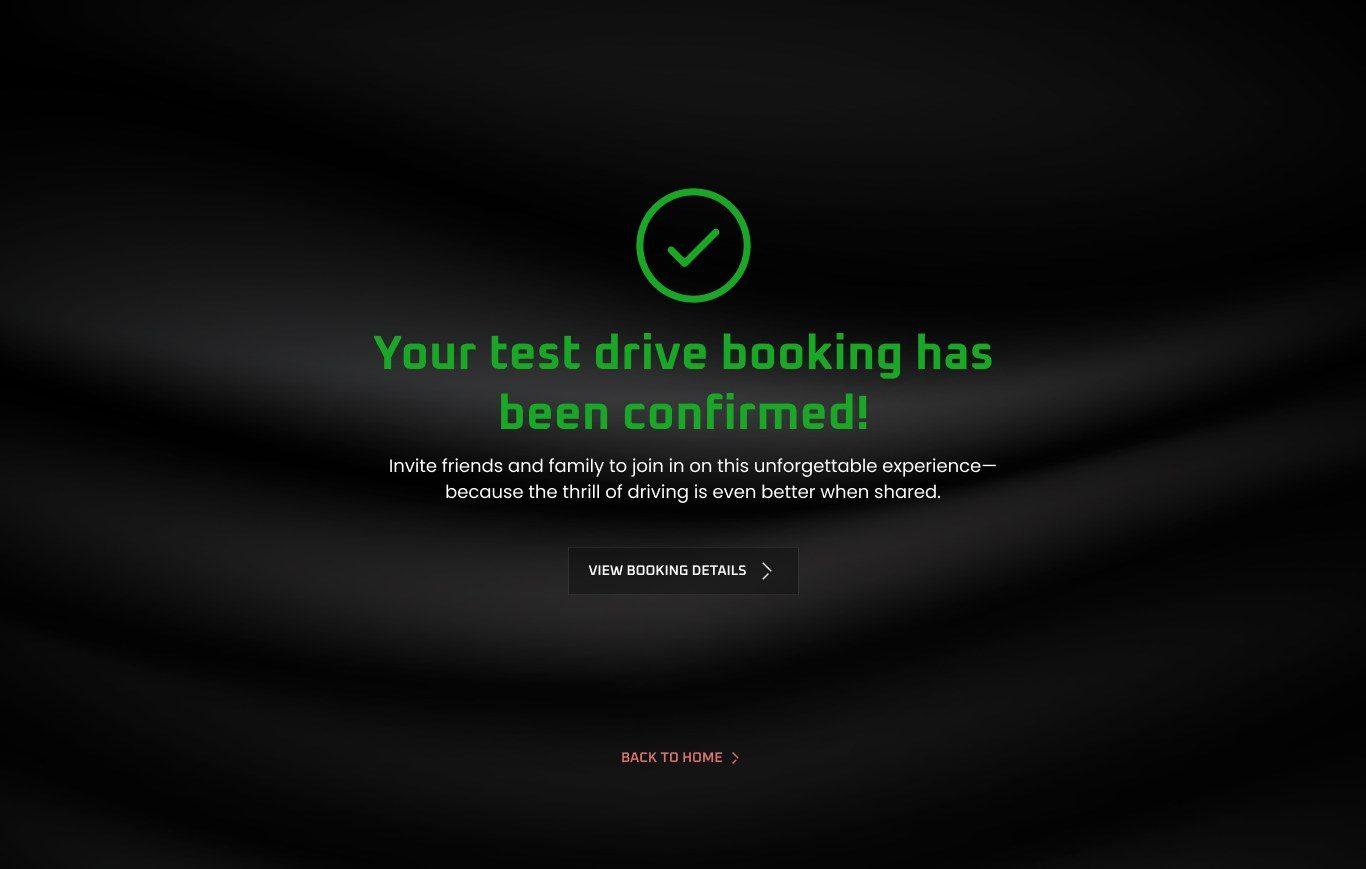
A progress bar shows how far along you are, and every step has a way back. A "call us to book directly" link sits at the top of each screen for guests who would rather talk to someone.
- 01
More than one car
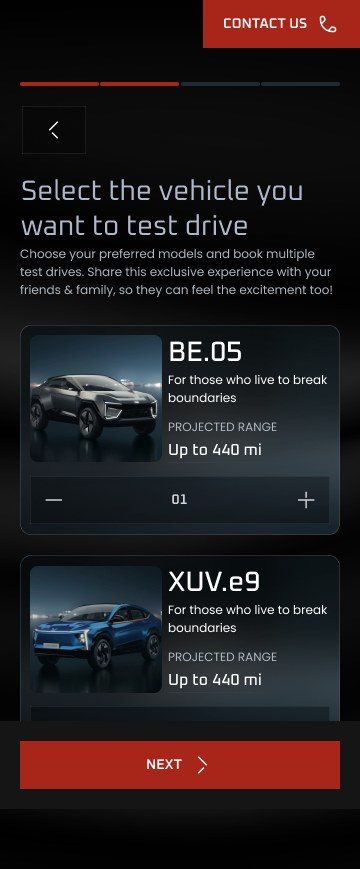
Guests can reserve both models, and more than one of each, so friends and family can drive too.
- 02
Availability you can see
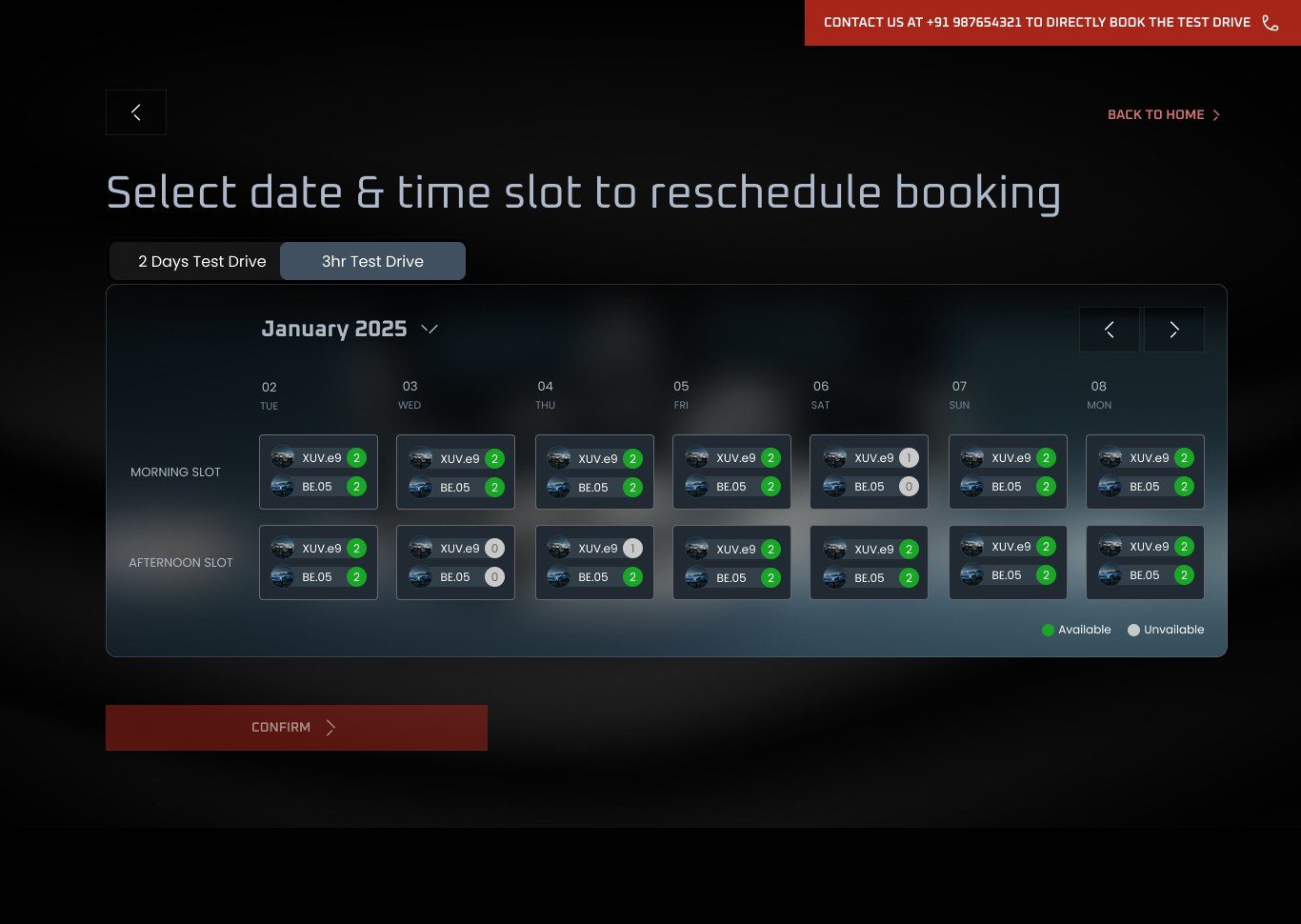
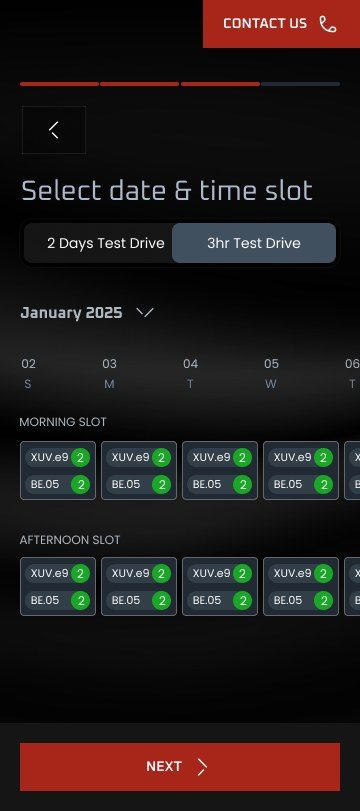
Every slot shows how many of each car are free, so guests never pick a time that cannot happen.
- 03
The car comes to you
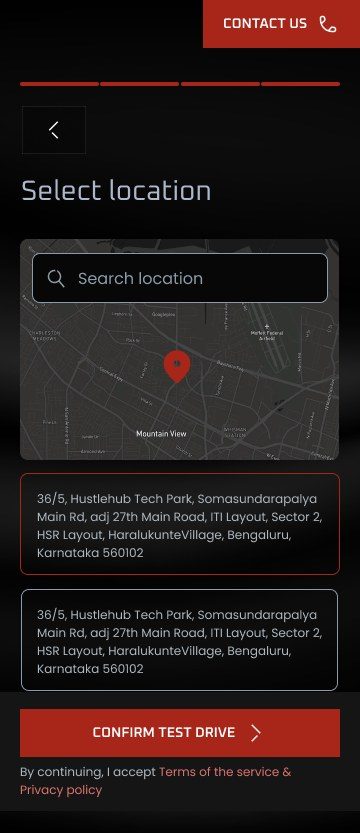
Pick a saved address or search for a new one, and the drive is delivered there.
02 E
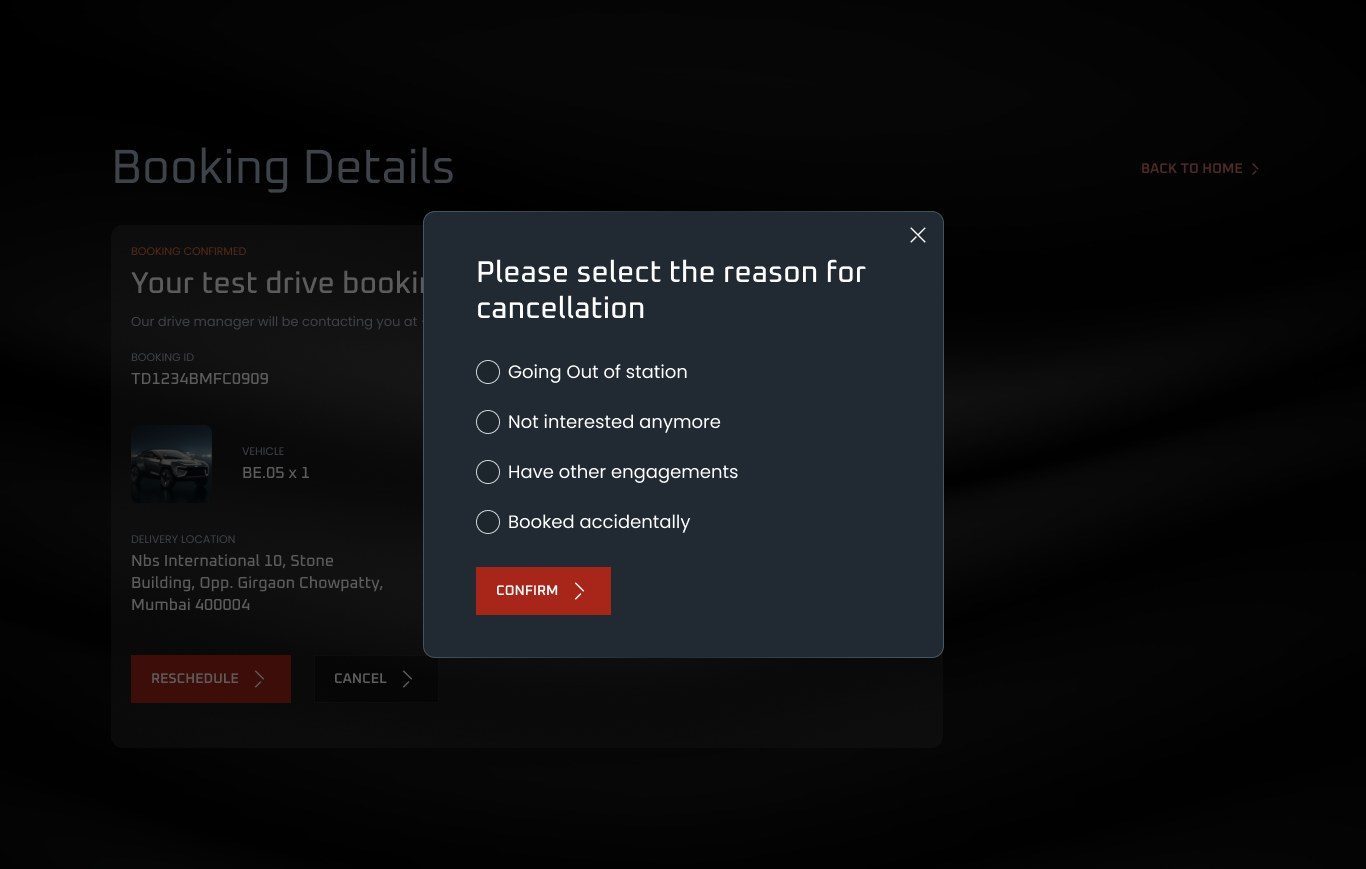
Plans change. The booking can too.
From the booking details, guests can cancel with a one-tap reason or pick a new slot, without calling anyone.
02 F
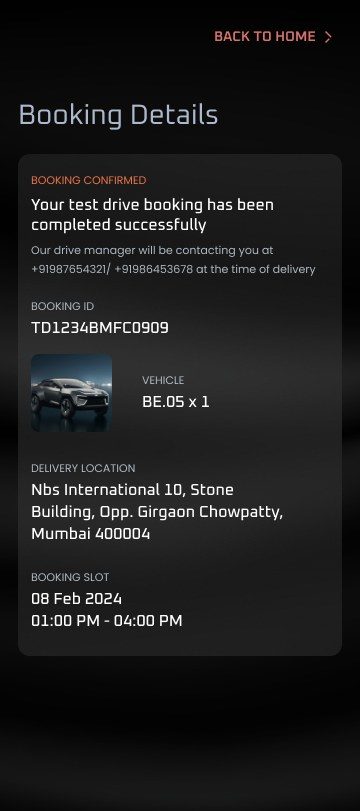
The same flow, on a phone.
Every step was designed for mobile too, one-handed, with the main action pinned to the bottom of the screen.
02 G
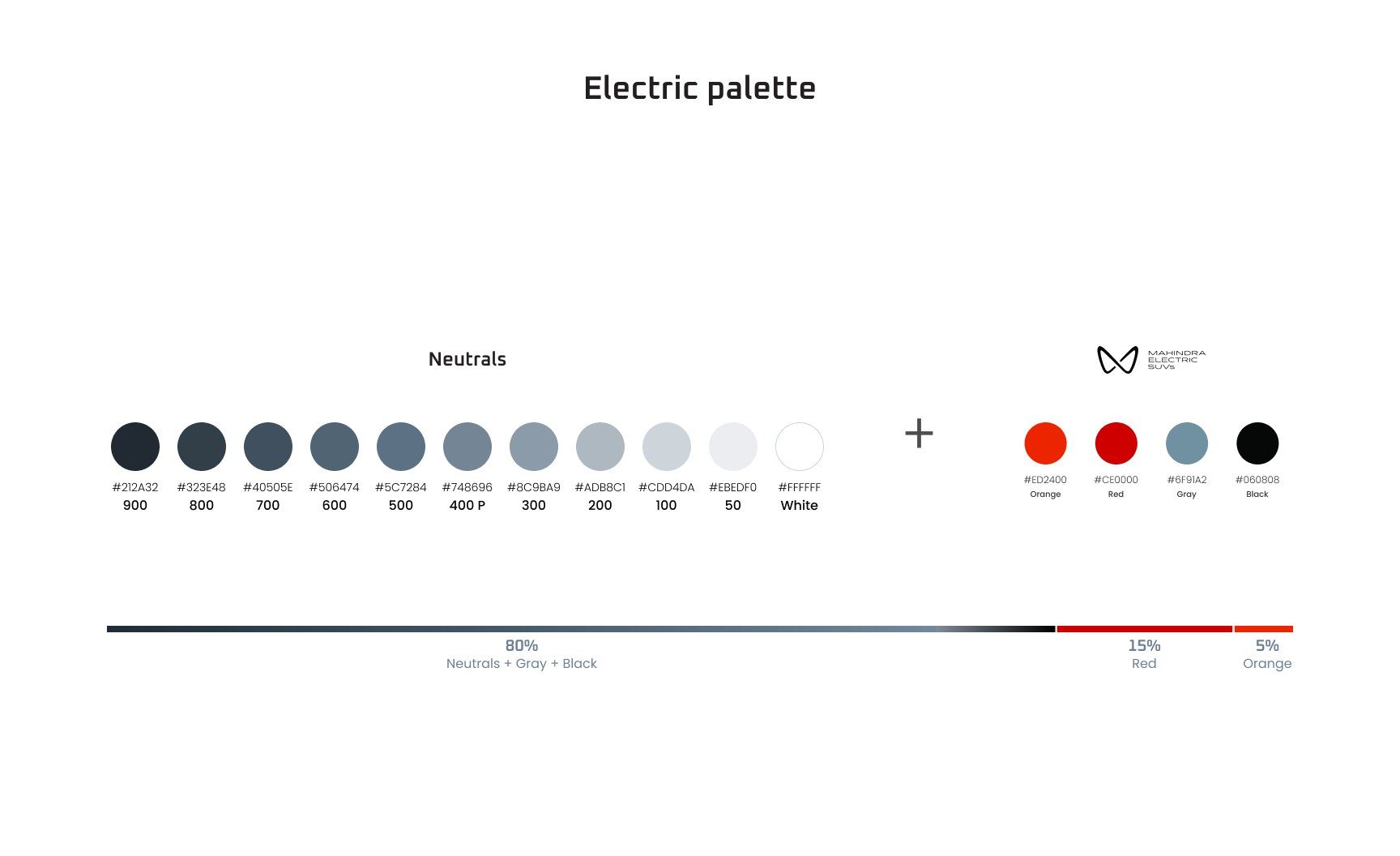
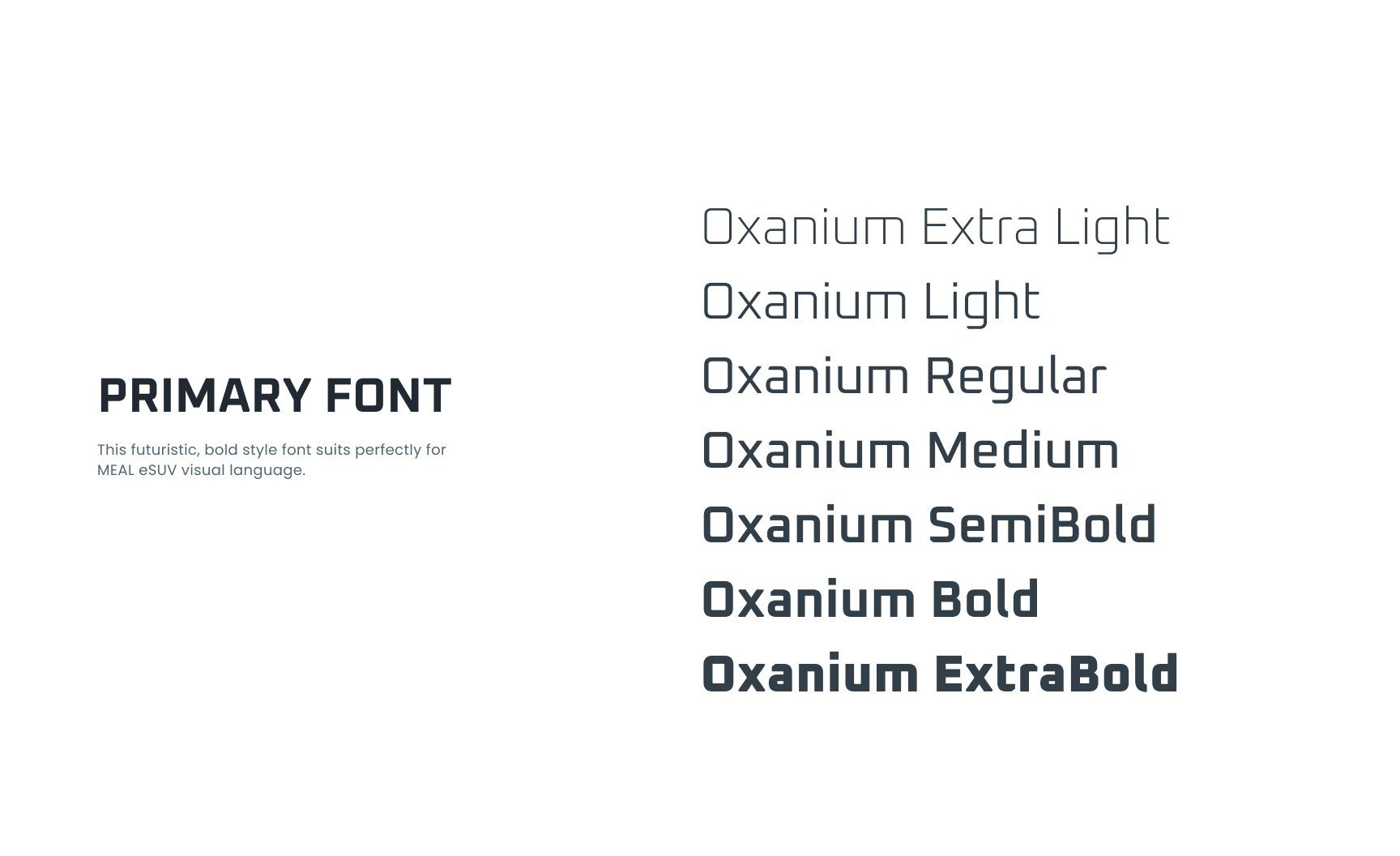
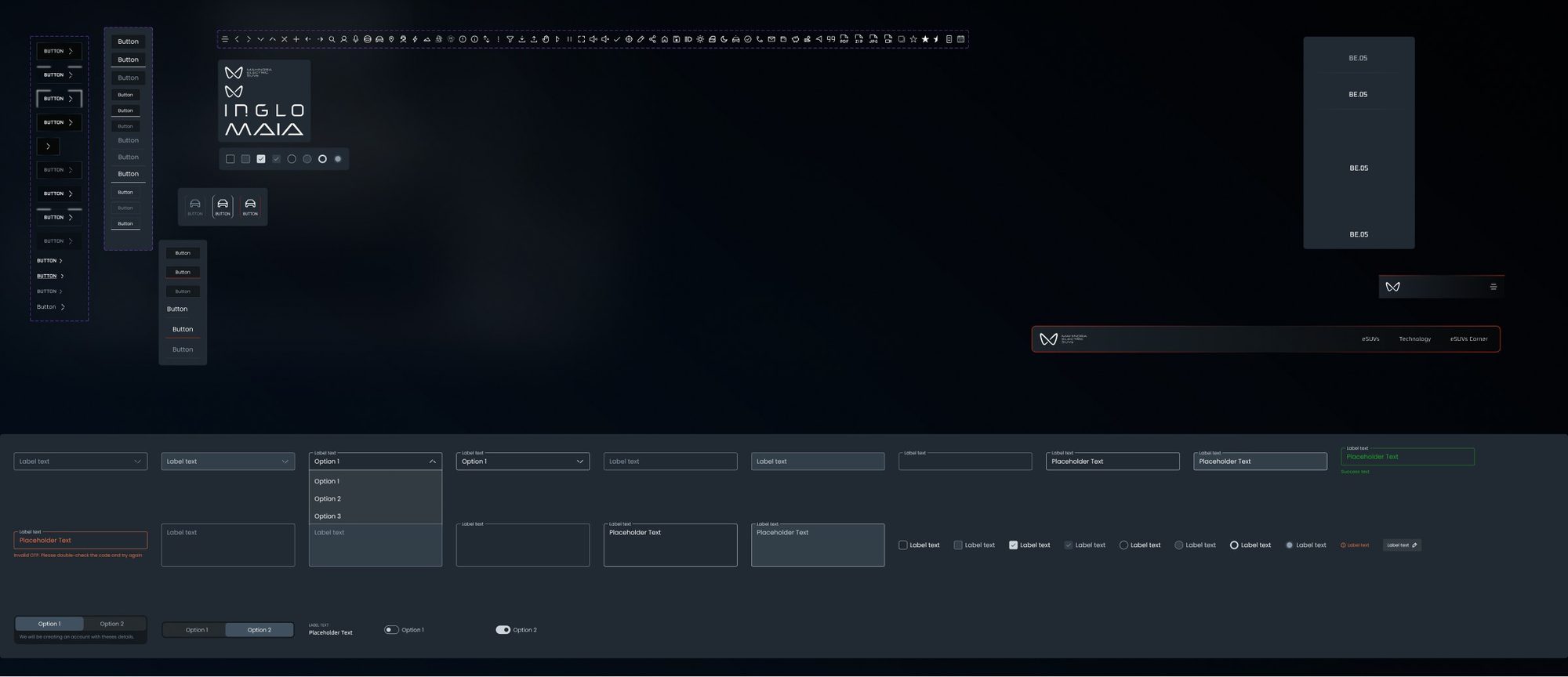
A visual system for an electric launch.
A cool neutral range does most of the work, with red and orange held back for actions and alerts. Oxanium, a squared, futuristic typeface, matches the eSUV language.
- Inventory
- Bookings
- Experiences
- Transactions
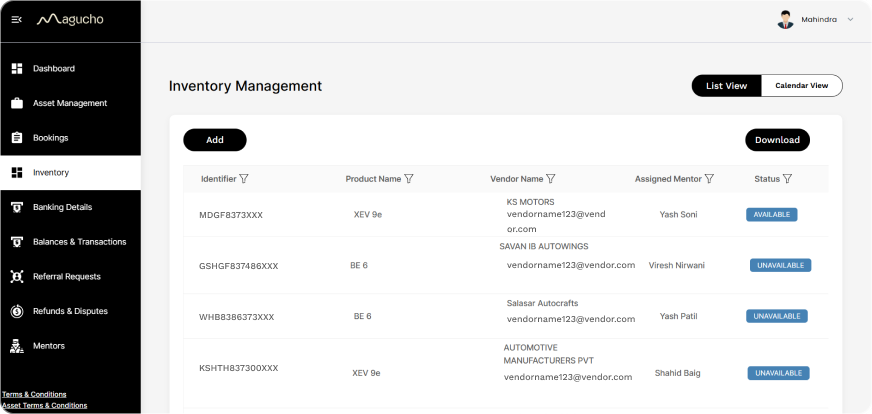
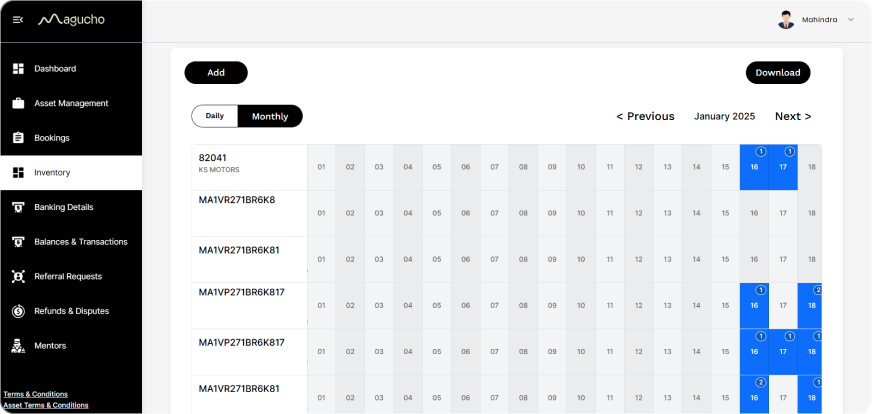
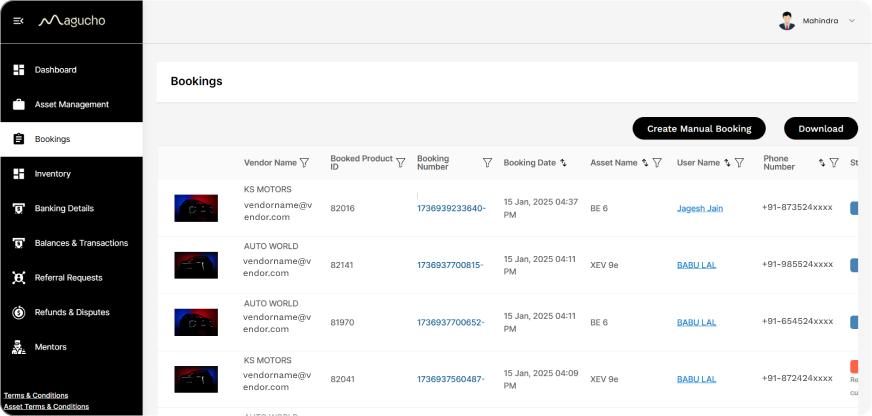
One place to run every drive.
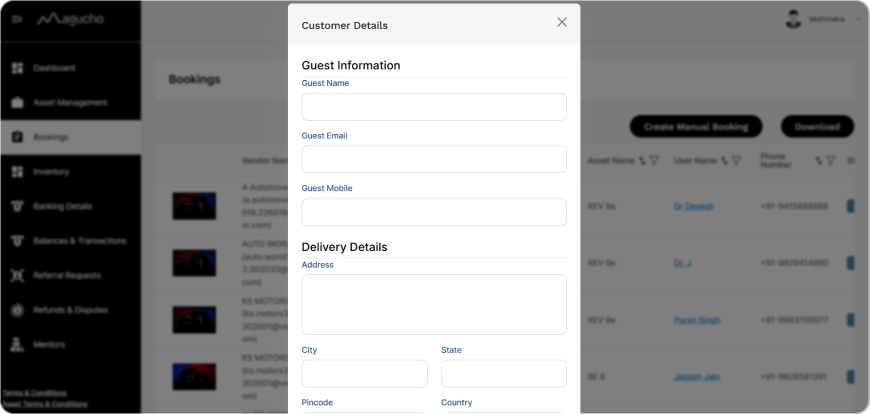
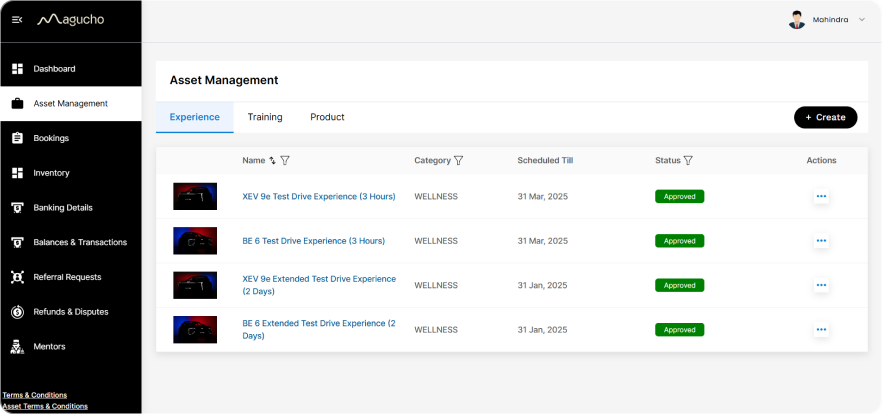
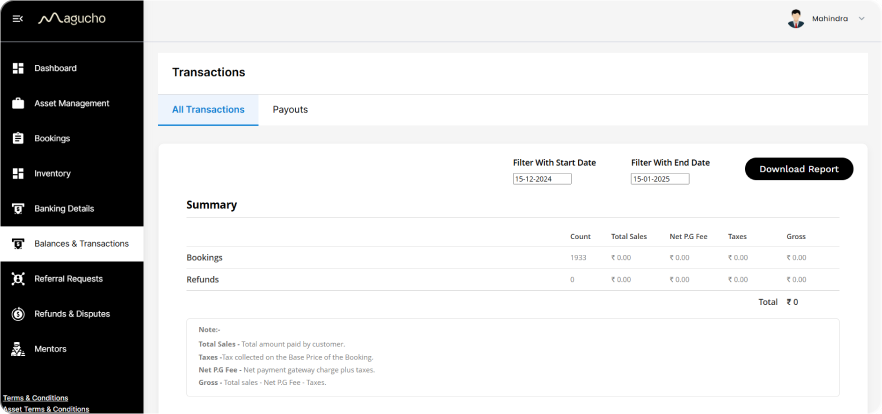
The ERP tool gave Mahindra's teams the other side of each booking: which vehicle was free, who had booked it, when and where it had to be delivered, and what had been paid. It sits on Magucho's platform, adapted for vehicles and test drives.
Learnings
What I learned
Premium means fewer choices
For guests with little time, the luxury was in removing steps, not adding flourishes.
Design the back office too
A smooth guest flow only holds up if the team behind it can see every car and every slot.
Always offer a human
A visible "contact us" on every screen gave high-profile guests a way out of the form.