Everything EV, in one app
ElectricPe is an electric mobility platform in India. It sells EVs from many brands, runs a charging network and builds software for charger owners. I designed five features of its EV super app, from onboarding to trip planning, and the company website that brings the whole business together.
- The brief
- Who it was for
- My role
A charging app that grew into a super app.
ElectricPe began as an app for finding and paying for EV chargers. It grew into a multibrand EV store, a charger setup service and charger management software, with a community space for EV owners on top.
Each new business needed a place in the same app, and the company needed a website that explained all of them while keeping EV sales in front.
Who it was for
Three kinds of EV people
EV owners
People who already drive an EV and open the app to charge. Some are curious about upgrading or trying another model.
Future owners
People researching EV ownership who don't own one yet, comparing brands, ranges and what charging would really be like.
Multi-vehicle owners
Families and businesses with more than one EV, who need to track every vehicle and its documents in one place.
My role
I designed each feature end to end: target audience and competitor research, UI and UX design, prototyping, and a quality pass on the build.
- Onboarding
- EV shop
- Test rides
- Trip planning
- My Vehicle
- Visual language
02 A · Onboarding
Sign up in a minute, then make it yours.
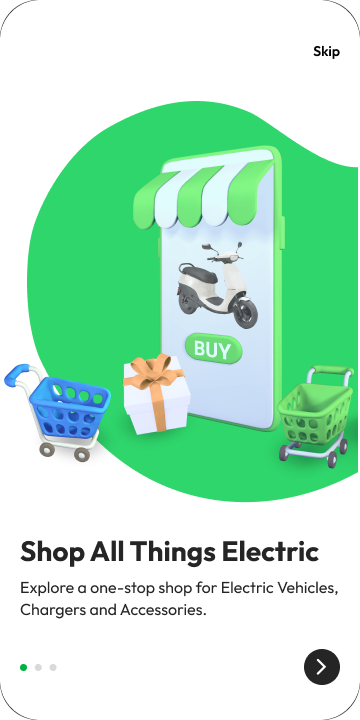
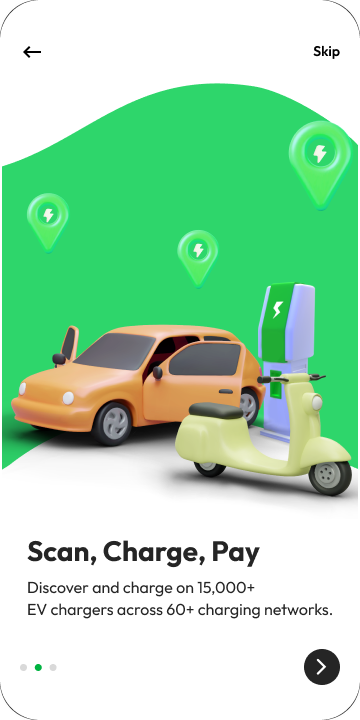
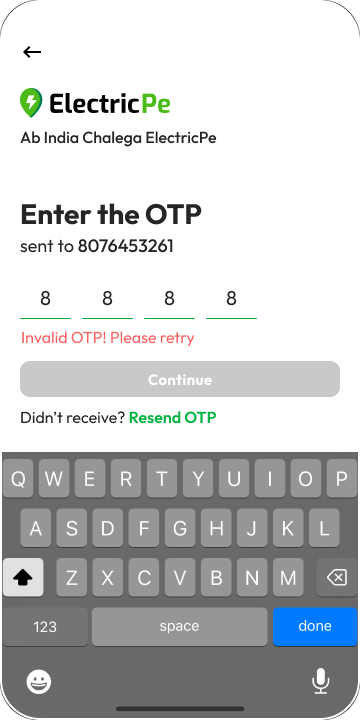
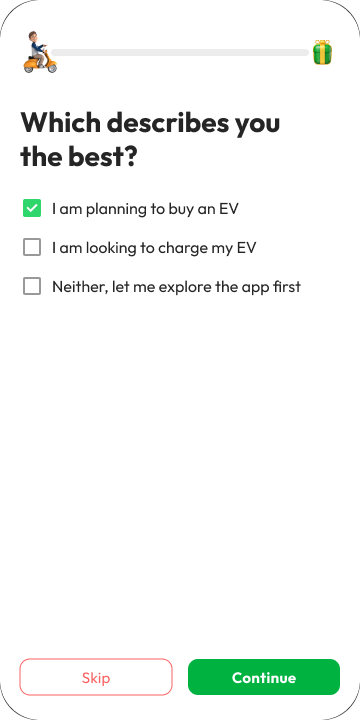
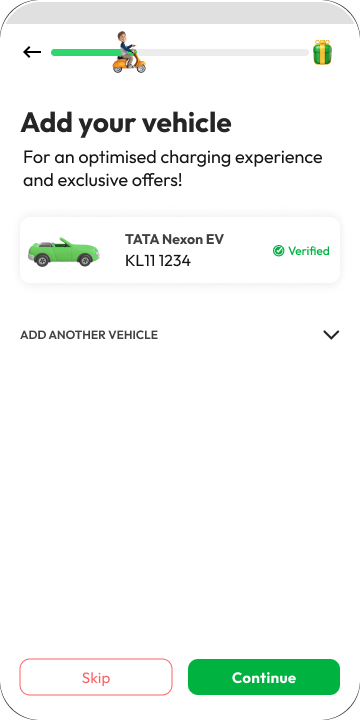
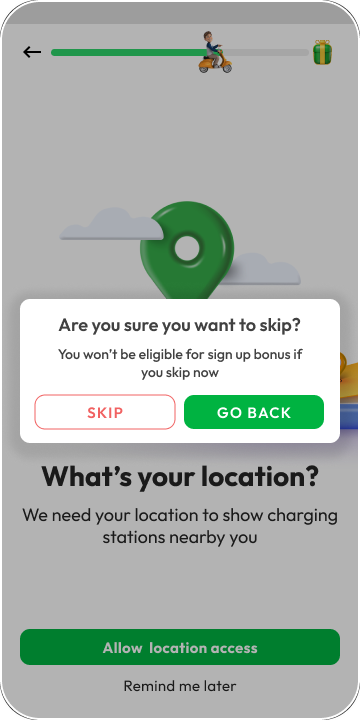
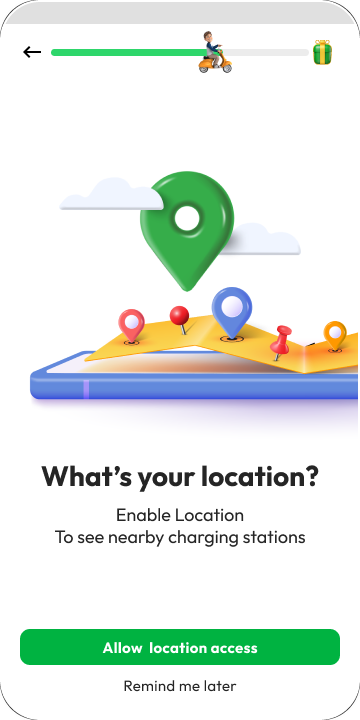
The onboarding revamp had two jobs: get people from sign-up to the app in a few easy steps, and show them what the app does beyond charging. A phone number and OTP get you in, one question shapes what you see, and adding a vehicle can wait.
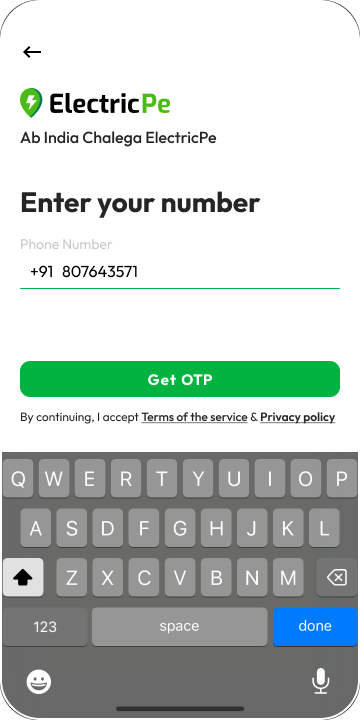


- 01
Fast, forgiving sign-up
OTP login keeps it quick and secure, and a wrong code gets a clear message and a resend link, not a dead end.
- 02
One question, a tailored app
Buyer, charger or just exploring: the answer decides what the app puts first from day one.
- 03
Nudges, not walls
Adding a vehicle can be skipped, and location access comes with a reason and a sign-up reward instead of a hard block.
02 B · EV shop
Every EV brand, in one shop.
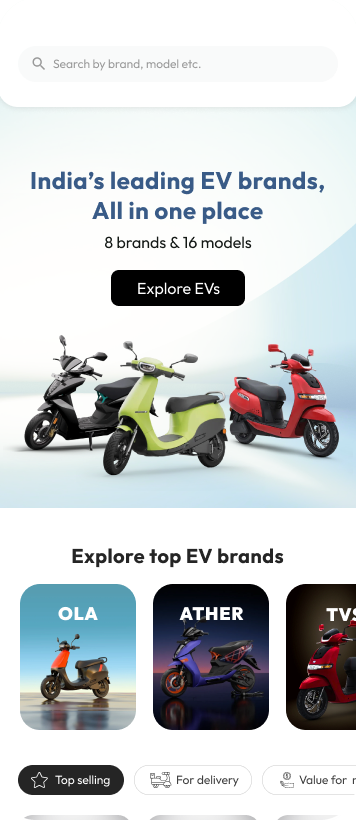
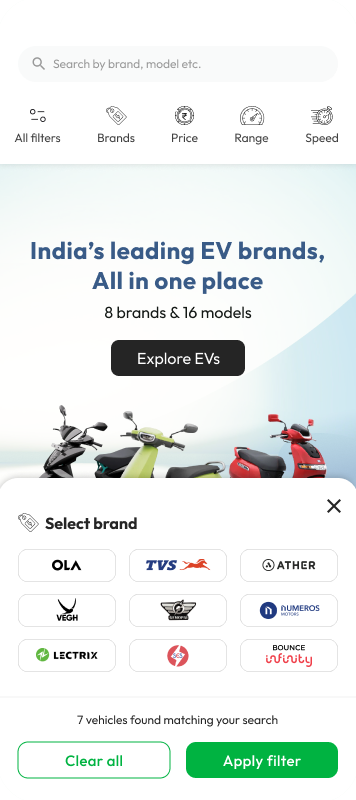
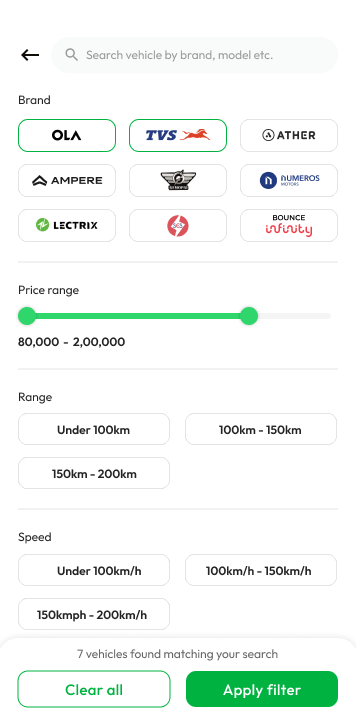
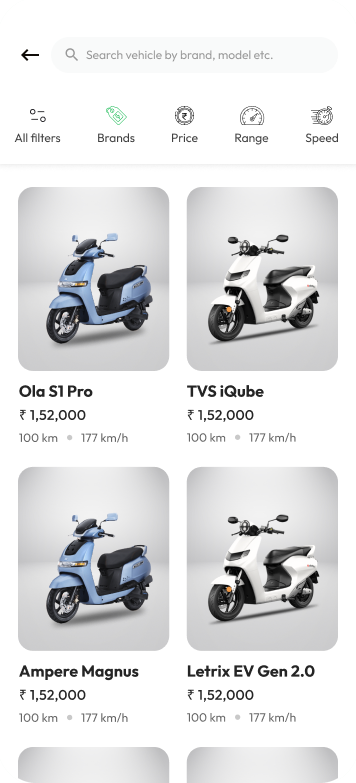
An e-commerce section inside the app, where people browse and buy EVs from many brands. Filters follow how people actually choose an EV: range, speed, price and brand.
- 01
Many brands, one view
Top brands up front, and every model with its key specs, price and a strong image.
- 02
Filters that match the decision
Range, speed, price and brand, plus shortcuts like "Top selling", "For delivery" and "Value for money".
- 03
Reasons to buy here
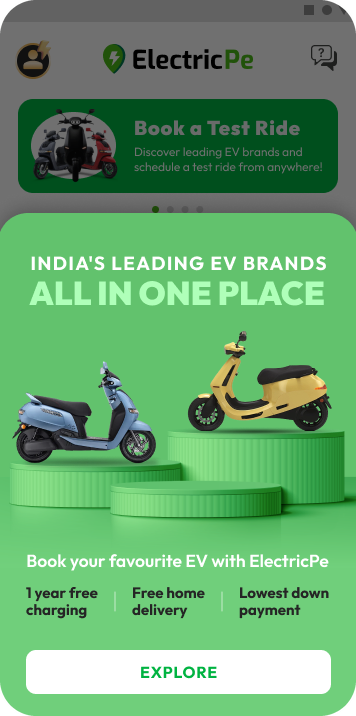
Free home test rides, charging offers and flexible payments are shown up front, with testimonials from real buyers.
02 C · Test rides
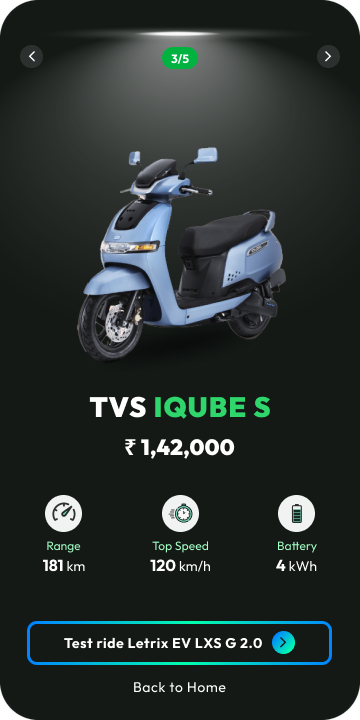
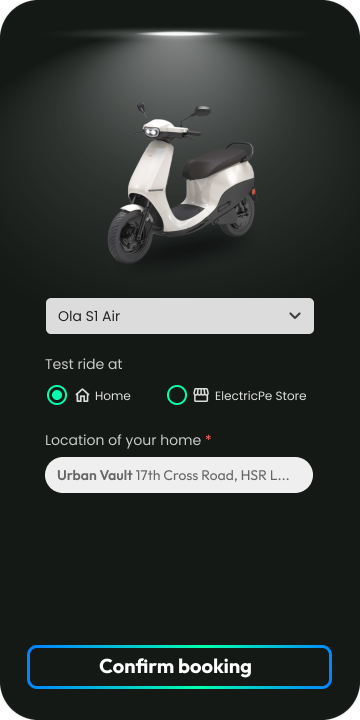
Book a test ride in three steps.
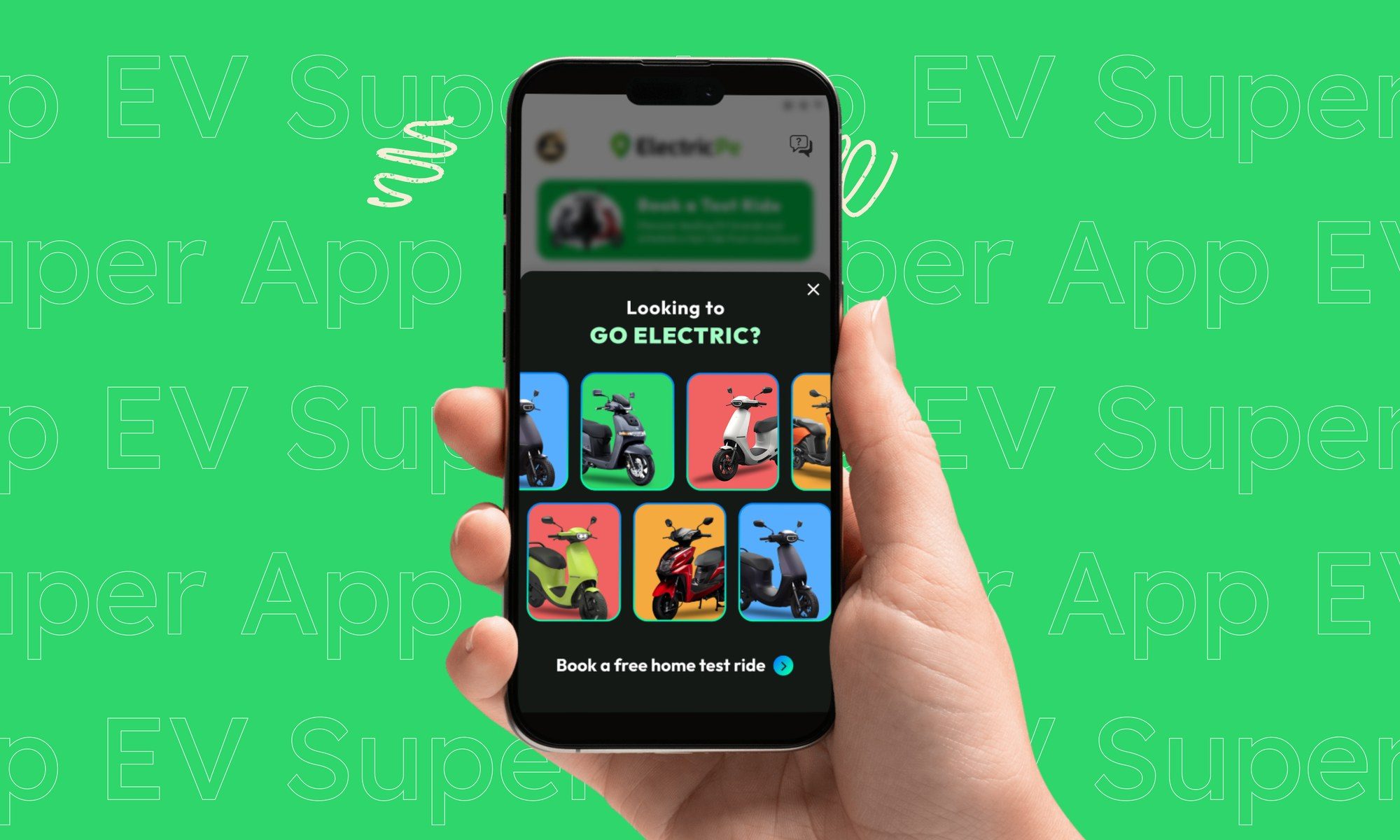
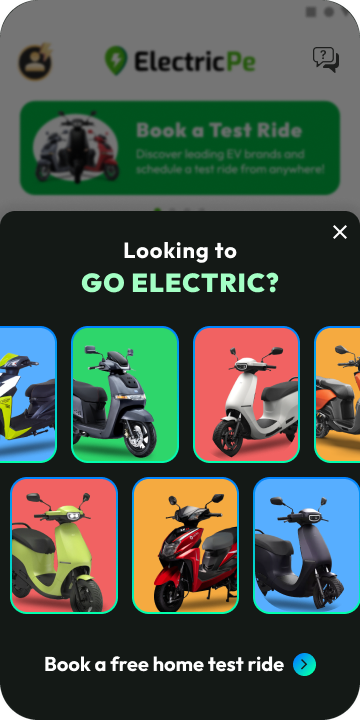
A short campaign for the soft launch of ElectricPe's EV store. It ran in the app with targeted notifications and banners, with two goals: get people to book a test ride in as few steps as possible, and let them know the store existed.
- 01
Choose an EV
Swipe through the models with the numbers people compare first: range, top speed and battery.
- 02
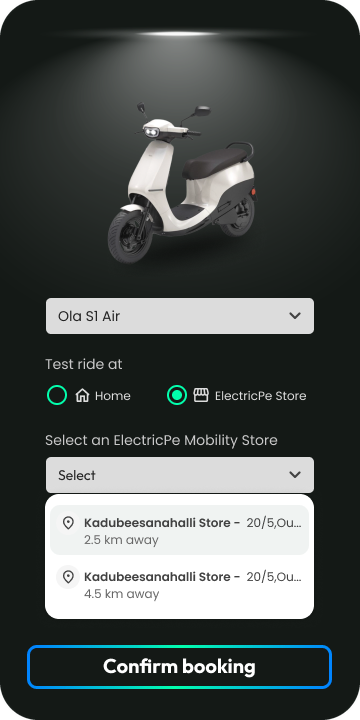
Home or store
Ride at home, or pick a nearby ElectricPe store to try it in person.
- 03
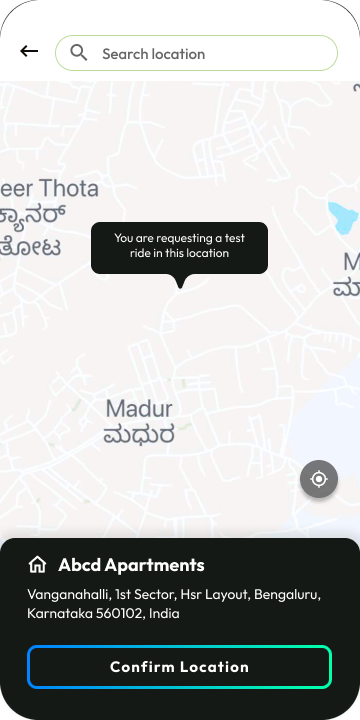
Add the details
An address on the map for a home ride, or a store from a list sorted by distance.
02 D · Trip planning
Long trips, planned around charging stops.
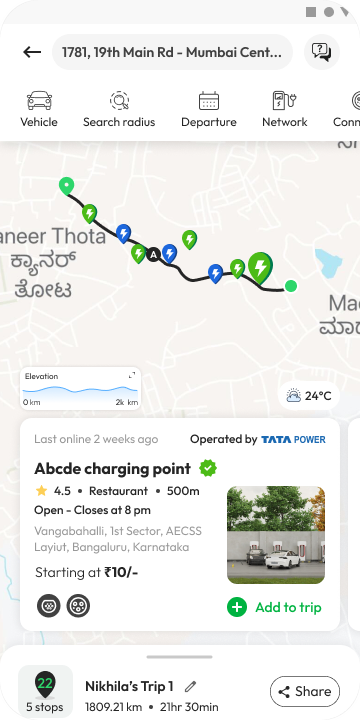
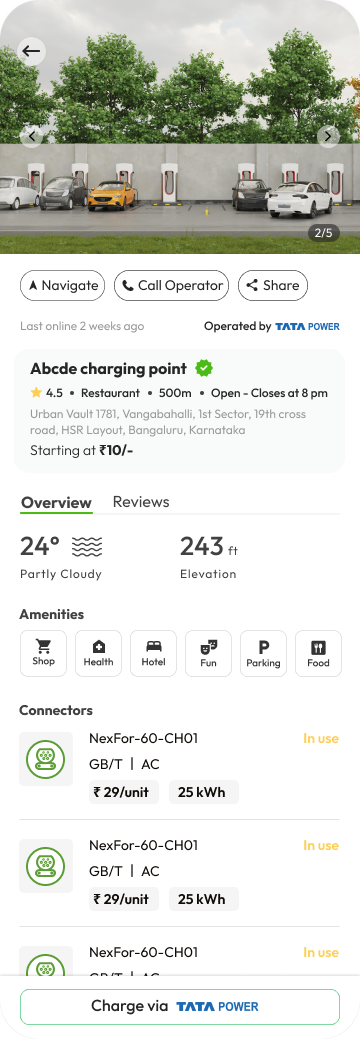
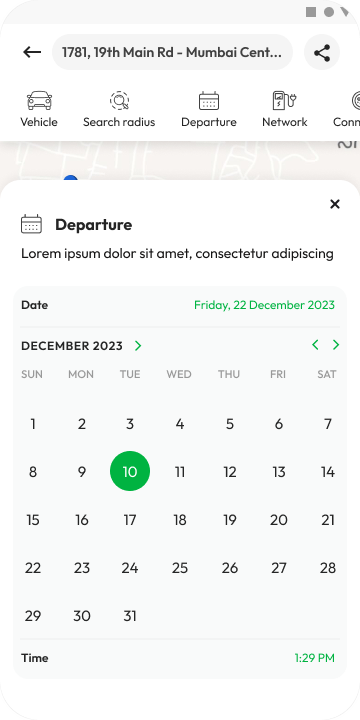
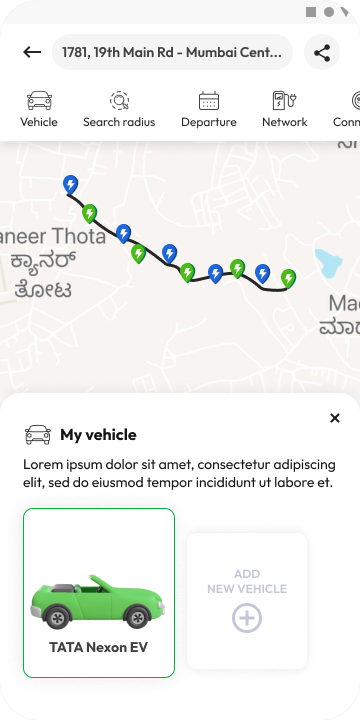
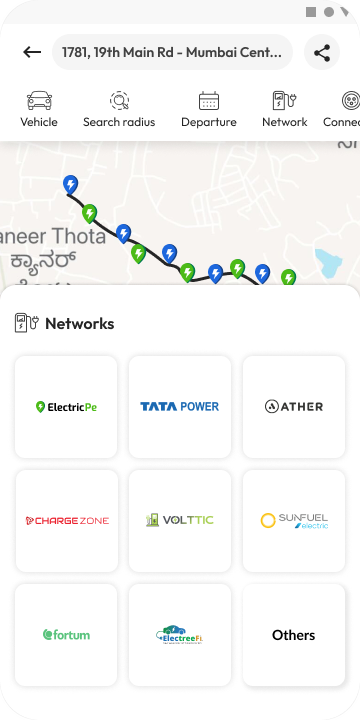
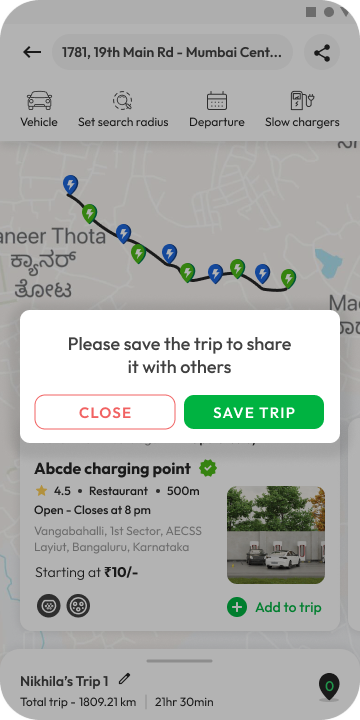
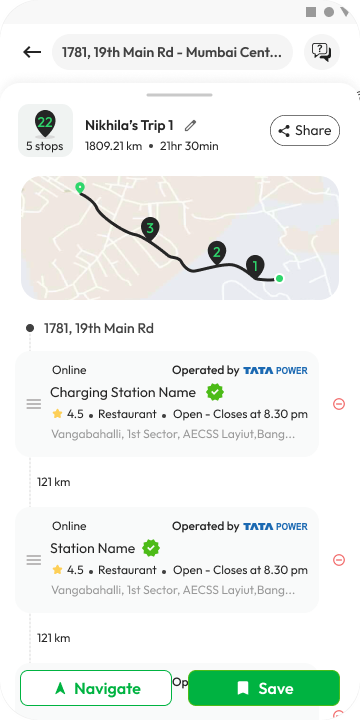
Long-distance EV travel means planning where to charge. The trip planner suggests charging stations along the route, filtered by your vehicle, your departure time, the connector you need and the networks you use.
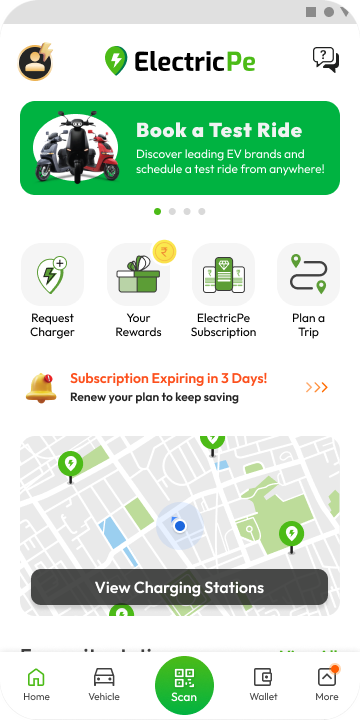
- 01
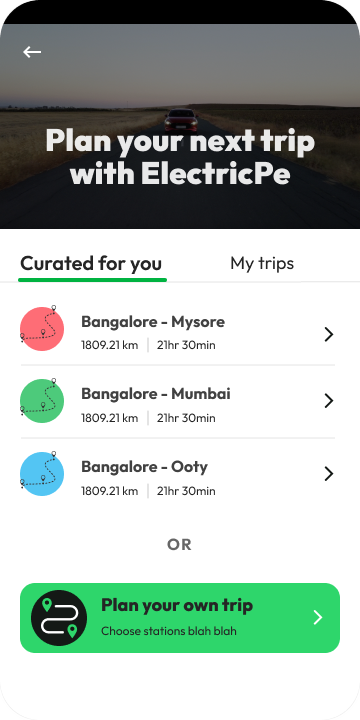
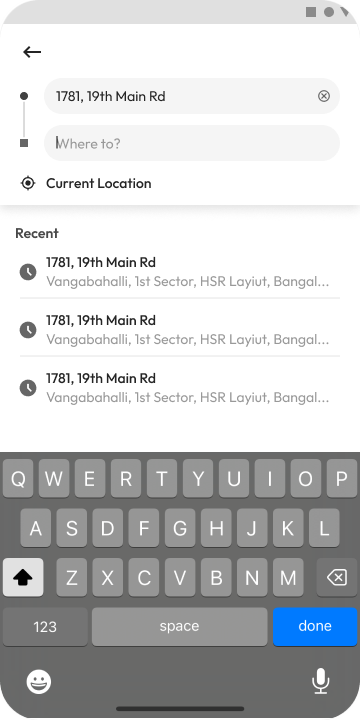
Curated or your own
Pick a ready-made trip with the stops planned, or build one stop by stop.
- 02
Stops you can trust
Each station shows its rating, open hours, connectors, price and amenities like restrooms and restaurants.
- 03
Plan together
Trips can be edited on the go, saved for later and shared with friends or family.
02 E · My Vehicle
Everything about your EV, in one tab.
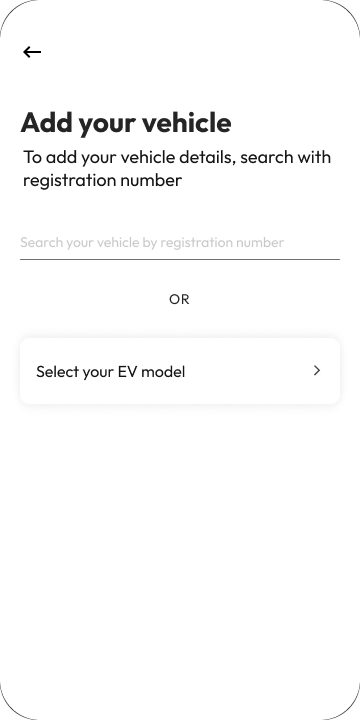
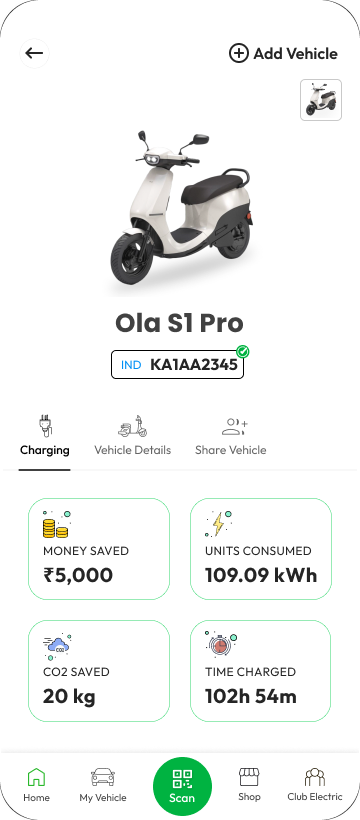
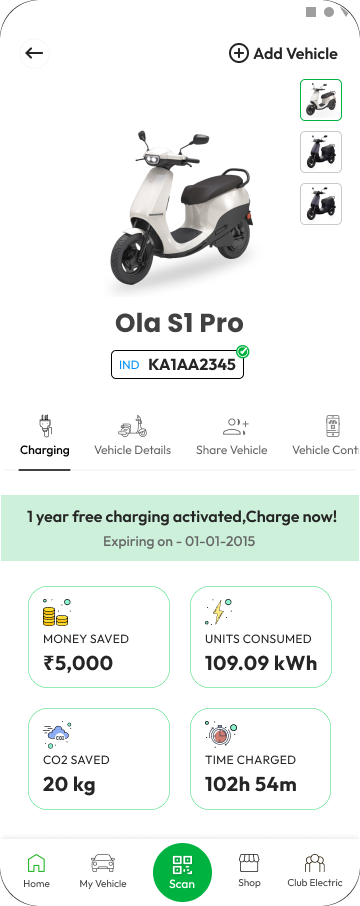
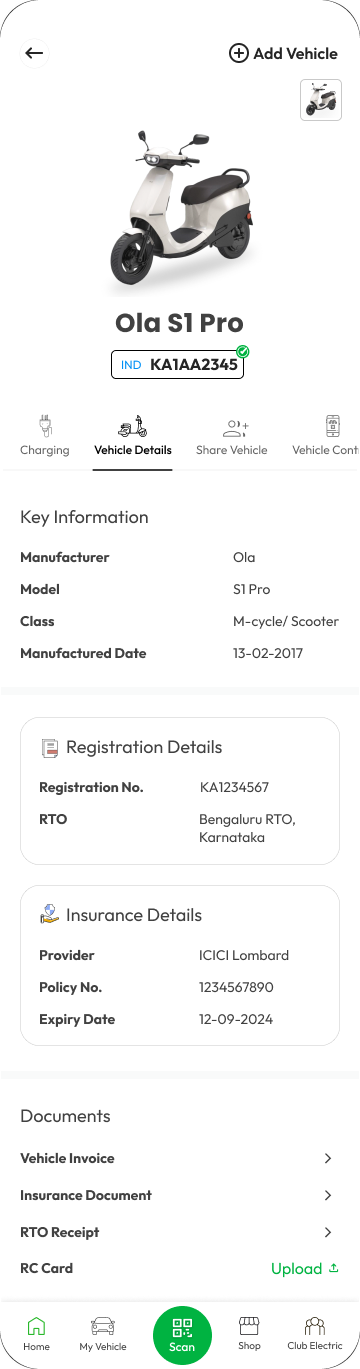
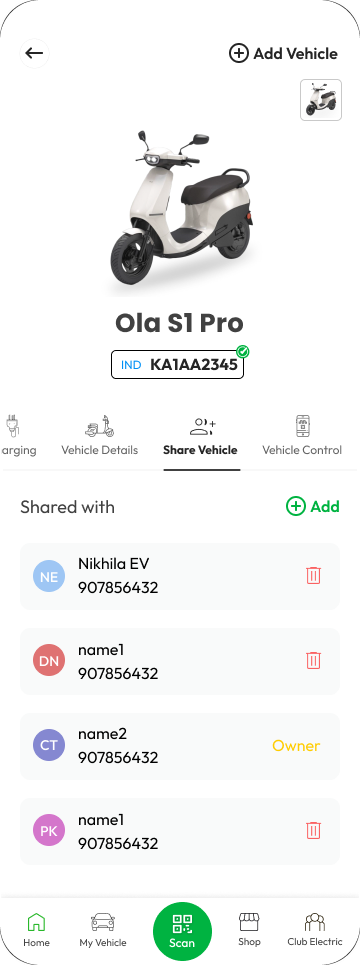
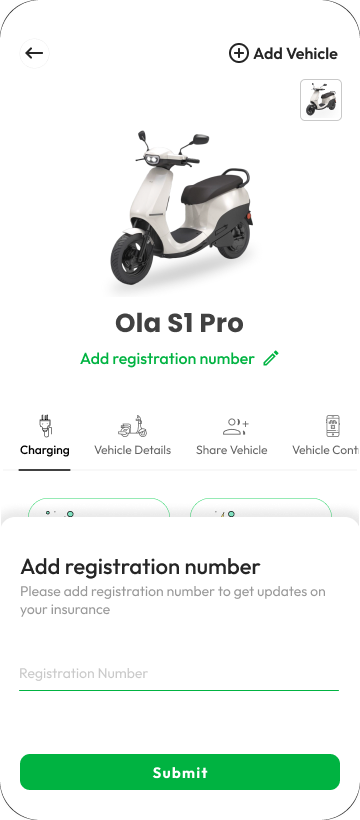
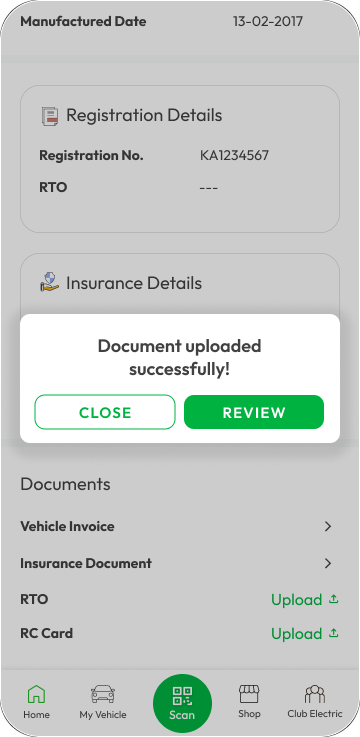
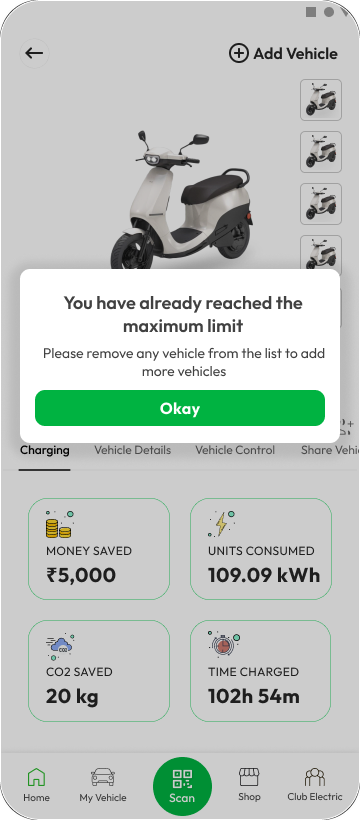
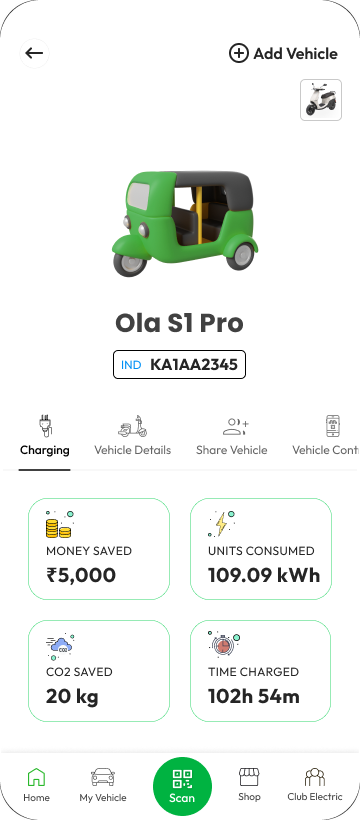
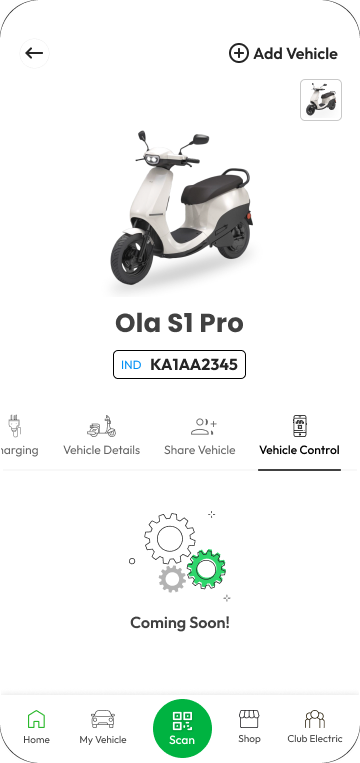
My Vehicle gives owners one place for their EV: what charging has saved them, the vehicle's papers, and who else can use it. It was an MVP, so the layout leaves room for features that were still to come.
- 01
Savings at a glance
Money saved compared with a petrol or diesel vehicle, CO2 avoided, units used and time spent charging, from real charging data.
- 02
Papers, without paper
Registration, insurance and other documents in one place, with a clear confirmation when an upload goes through.
- 03
Room to grow
Add, remove and share vehicles today, with "Coming soon" markers for features like vehicle control.
02 F · Visual language
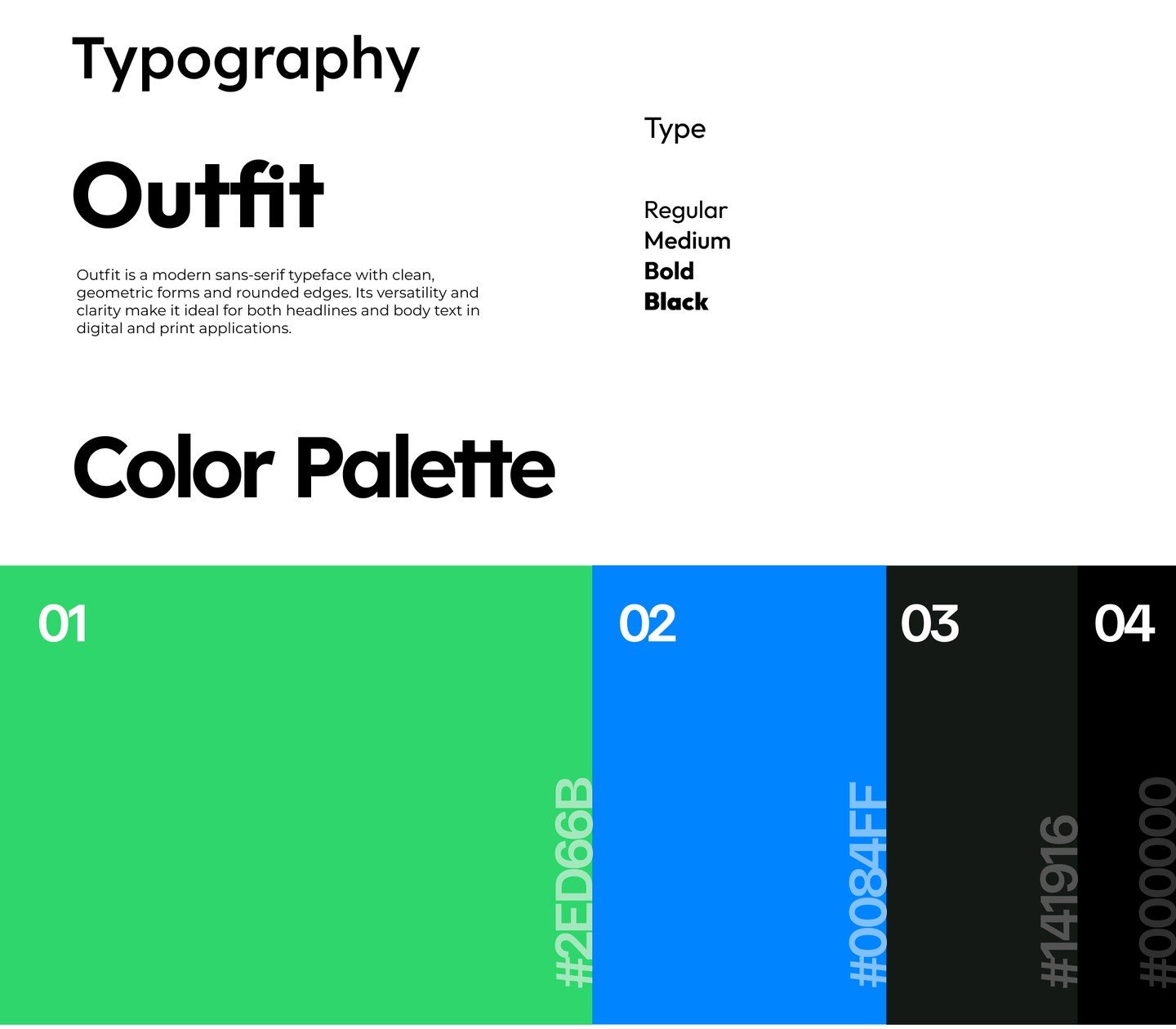
One green, used with care.
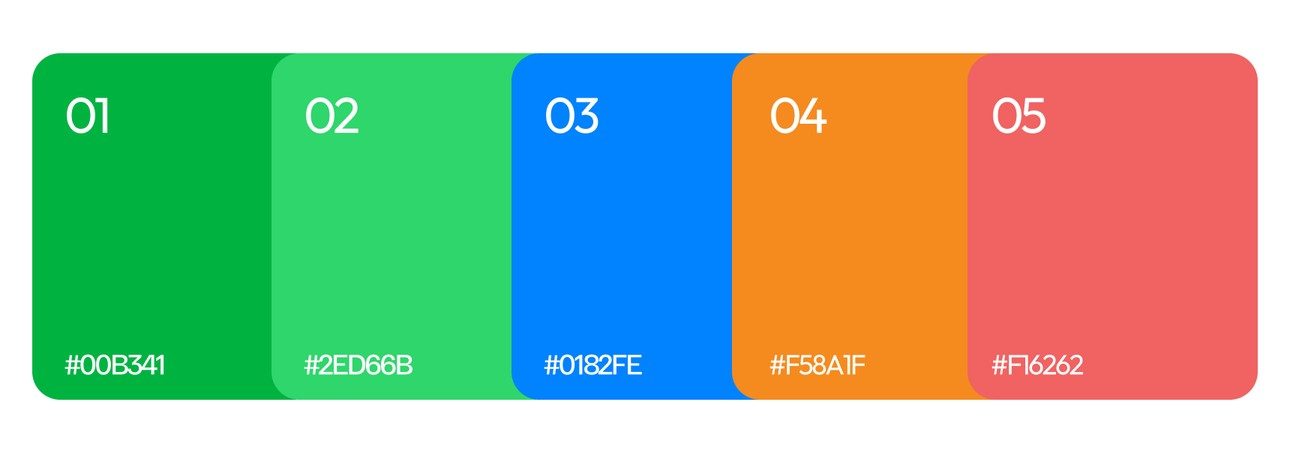
Every feature shares one system. Outfit, a geometric sans-serif with rounded edges, keeps headlines and small labels equally clear. ElectricPe green leads, with blue and near-black in support.
- The brief
- Home
- Partners and products
- Careers and about
Four businesses, one website, EV sales first.
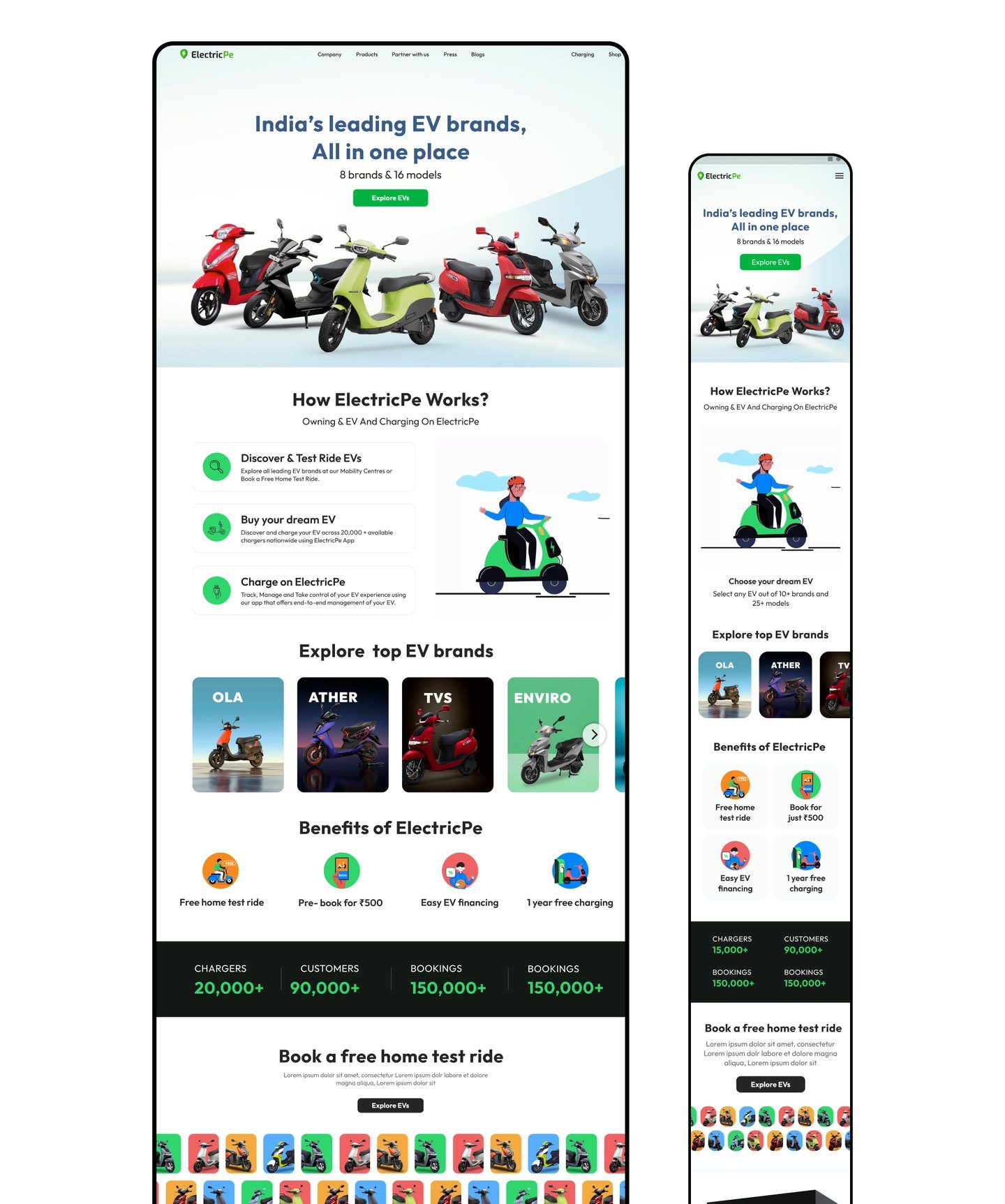
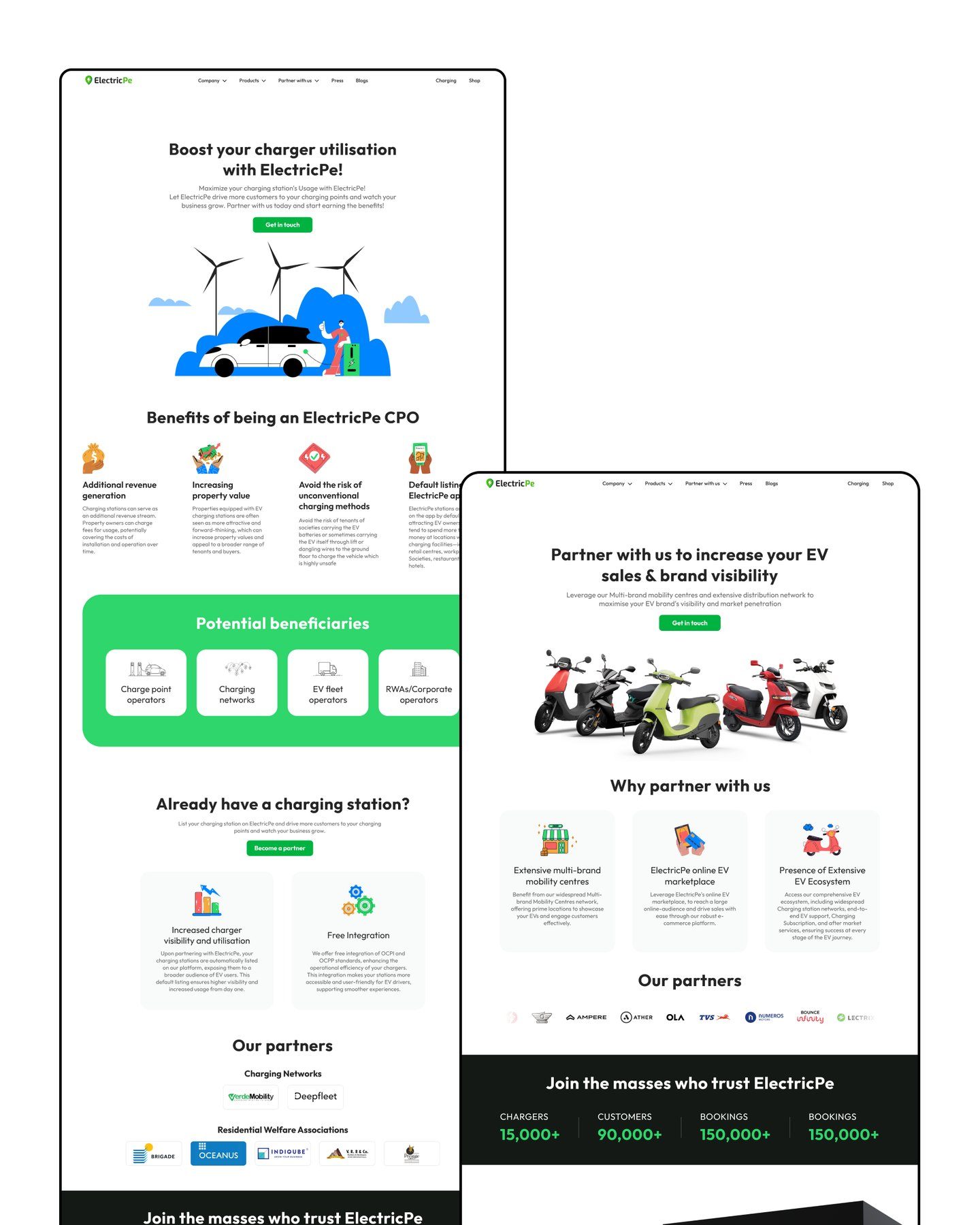
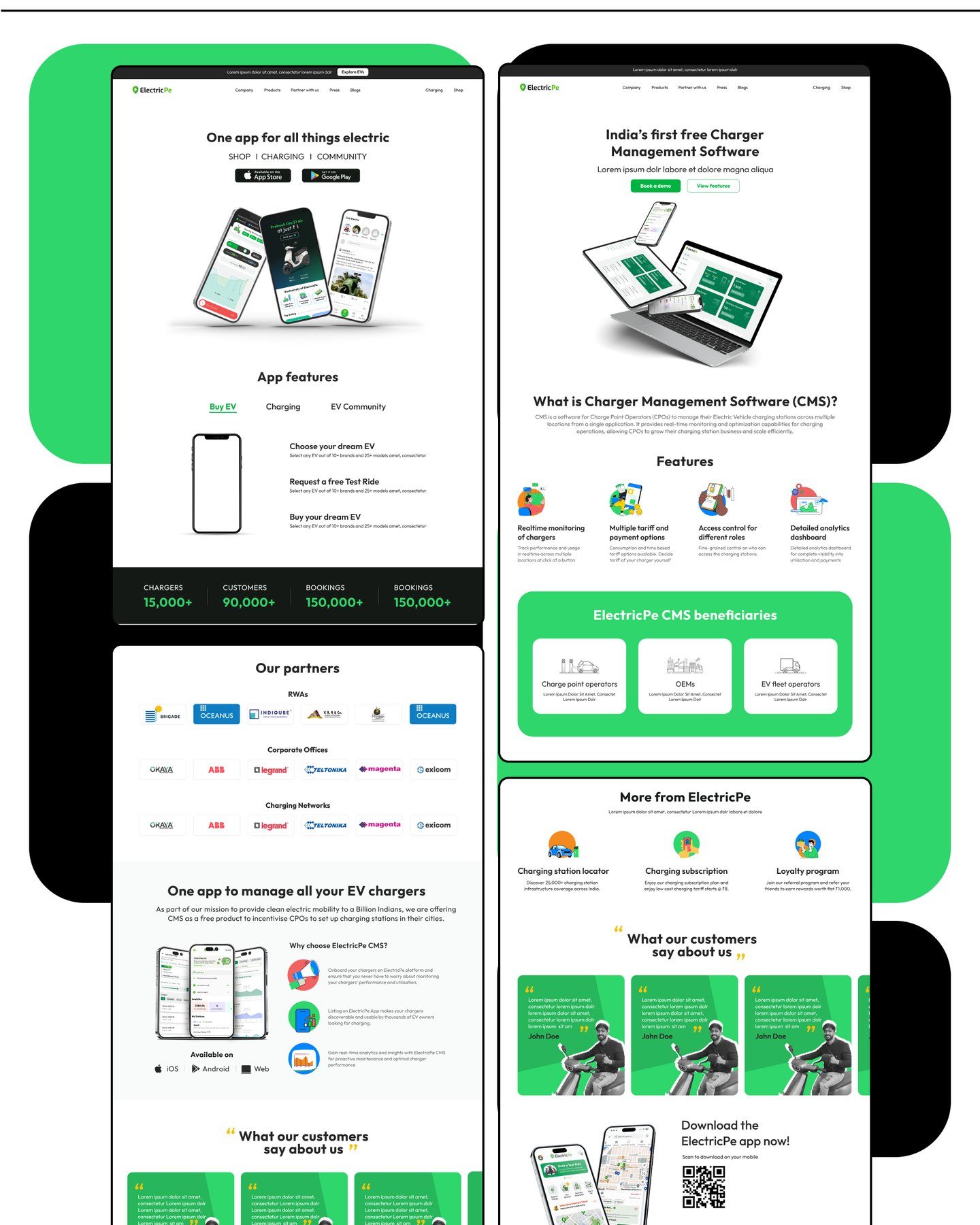
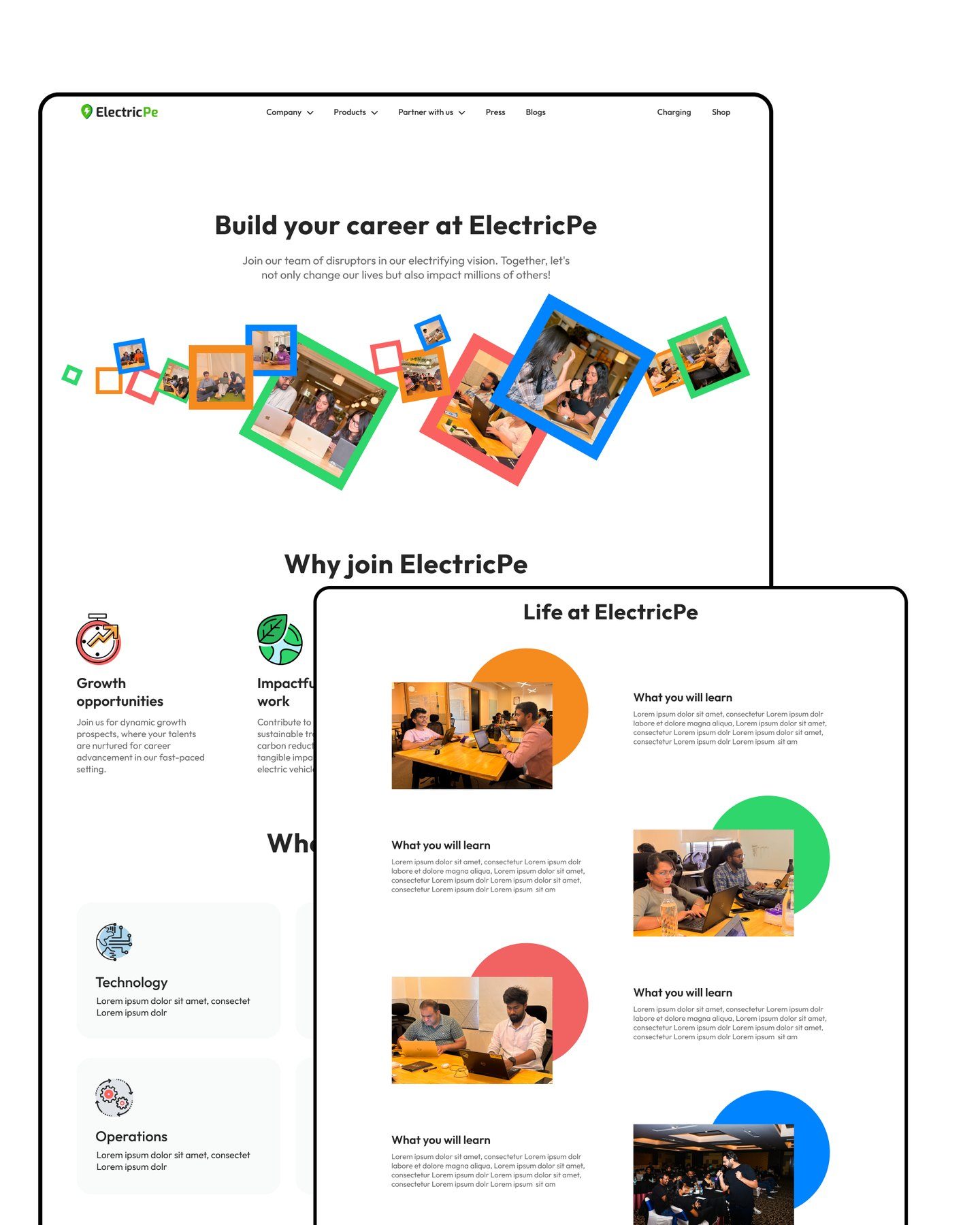
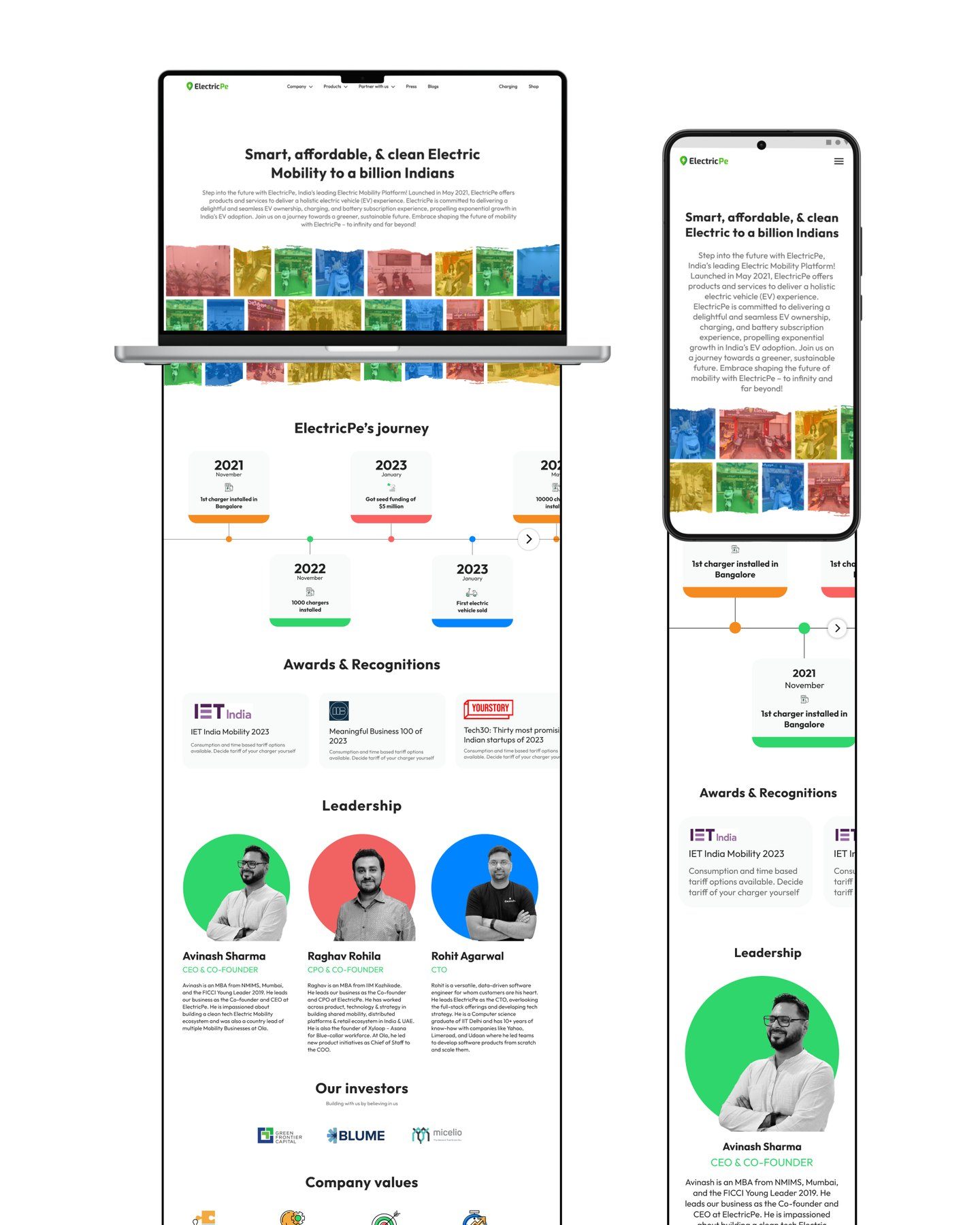
ElectricPe needed a website that put its main business, multibrand EV sales, in front, while still giving a proper home to the charging app, charger setup and charger management software. I designed the home page and the pages for partners, products, careers and the company, on desktop and mobile.
- 01
EV sales up front
The store leads the home page, with clear product displays, brands and a free home test ride.
- 02
Every service has a home
Charging, charger setup and charger software each get their own pages, linked from one clear navigation.
- 03
Easy to find your way
Whether you are buying an EV, looking for a charger or setting one up, the next step is never far.
Learnings
What I learned
A super app is many small apps
Each feature needed its own entry point and its own job, while still feeling like one product.
Ask less, earlier
One good question during sign-up did more to tailor the app than a long profile form would have.
Design the MVP to grow
Leaving clear room for future features kept My Vehicle simple now without boxing it in later.