Choosing, pricing and selling every camera GrayPorter stocks
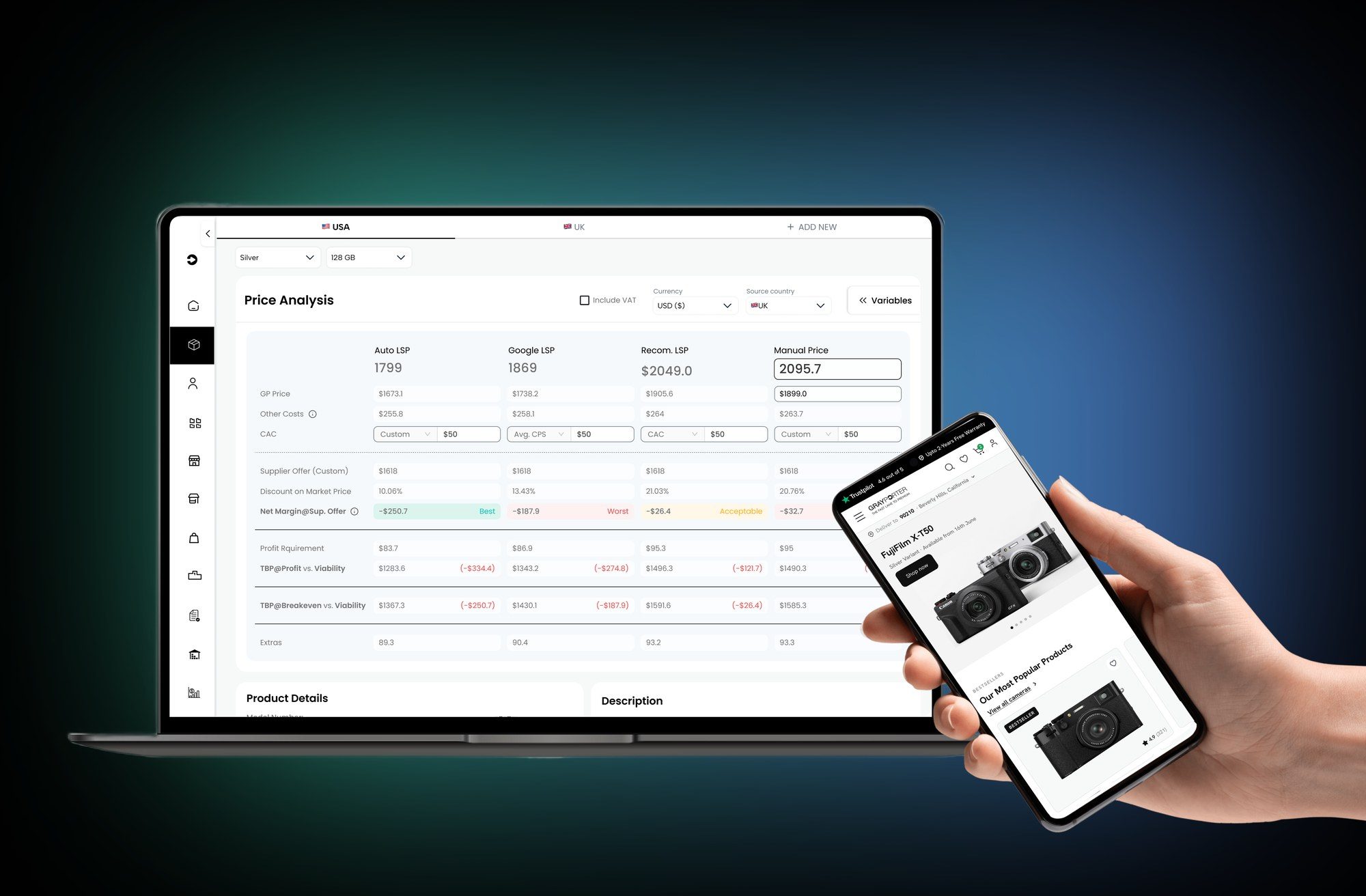
GrayPorter sells high-end cameras for less than authorised dealers by buying them from suppliers around the world. I designed the internal tool the team uses to decide which products to buy, what to pay for them and how each one performs once it is live, and, with a junior designer, the store those cameras are sold on.
- The business
- One loop
- My role
Every camera starts as a bet.
GrayPorter's margin is made before a single camera is sold: in which products it chooses to stock, and in how much it pays a supplier for them. Buy the wrong product, or pay a little too much for the right one, and the low price that brings shoppers in stops making money.
So the business needed two things that work as one: a tool to make those buying decisions with real numbers, and a store that turns a low price into a sale.
The numbers come from a data system our team built: it pulls product data from more than 30 e-commerce platforms in real time, normalises it into one format, and joins it with search and acquisition-cost data from SEMrush and with GrayPorter's own marketing and sales data in BigQuery. The tool is where people actually use all of that.
One loop
From supplier deal to sold camera
Find
A ranking algorithm orders every product by how well it suits GrayPorter to sell, using metrics the team weighs themselves.
Price
A calculator shows the profit at any supplier price, so the owner knows what to pay and how far to negotiate.
Sell
The product goes live on the store, where the job is to make a low price feel safe to buy.
Track
Back in the tool, every sale shows its real profit or loss after marketing, shipping and other costs.
Who uses the tool
One tool, four kinds of user
Role-based access
Suppliers
Manage their own offers, prices and stock, without seeing anything else.
Internal teams
Sales, marketing and inventory teams deciding what to stock and how to price it.
Stakeholders
The owner and decision-makers watching stock levels, market trends and performance.
Analysts
People working on acquisition costs, cost analysis and benchmarking against competitors.
My role
I designed the internal tool on my own, from the first flows to every screen and state. On the store I worked with a junior designer, across the shopping journey from the homepage to order confirmation.
- Sources
- Products
- Ranking
- Price calculator
- After launch
A complicated job, made into a few clear steps.
The tool does a lot of maths: competitor prices from 30+ platforms, supplier offers, search demand, shipping, tax, fees and ad spend, across more than one country, for users who should each see different things. The design work was deciding what each person needs to see at each step, and hiding the rest until they ask for it.
02 A · Sources
Three ways a product gets in.
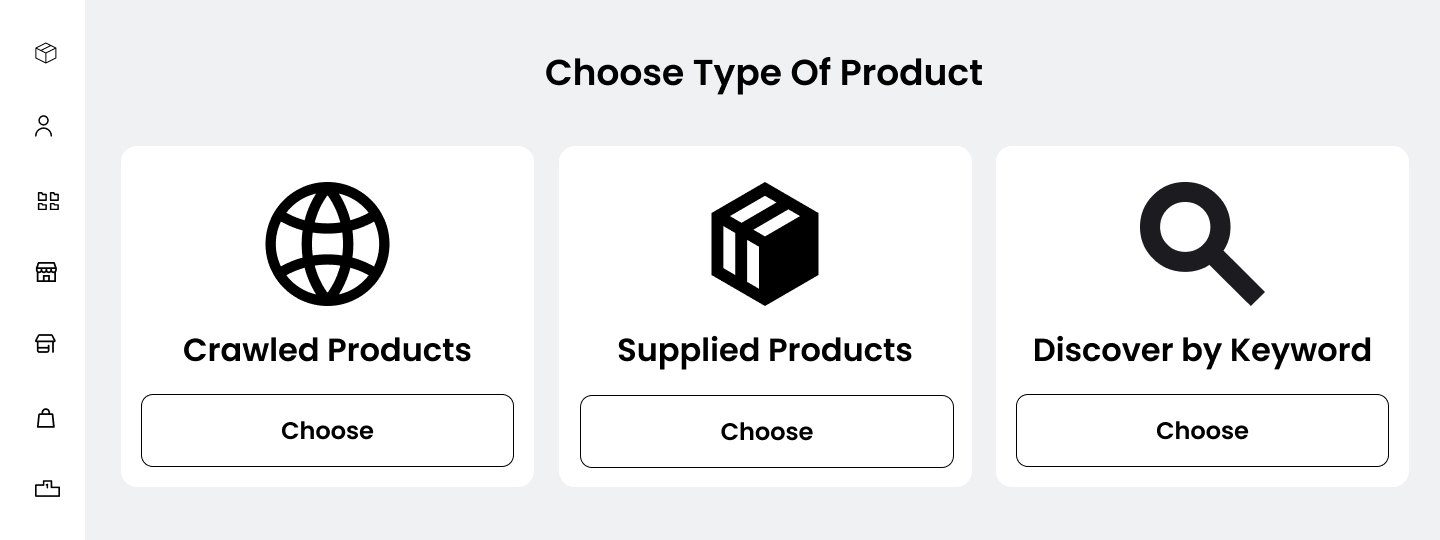
Crawled products are found by the crawlers, which index listings, prices and descriptions across other retailers. Supplied products come from wholesalers and have no competitor listings to crawl, so they are judged against the price the tool calculates. Discover by keyword starts from what people search for, and finds the products behind it.
02 B · Products
Every product, and whether it is worth selling.
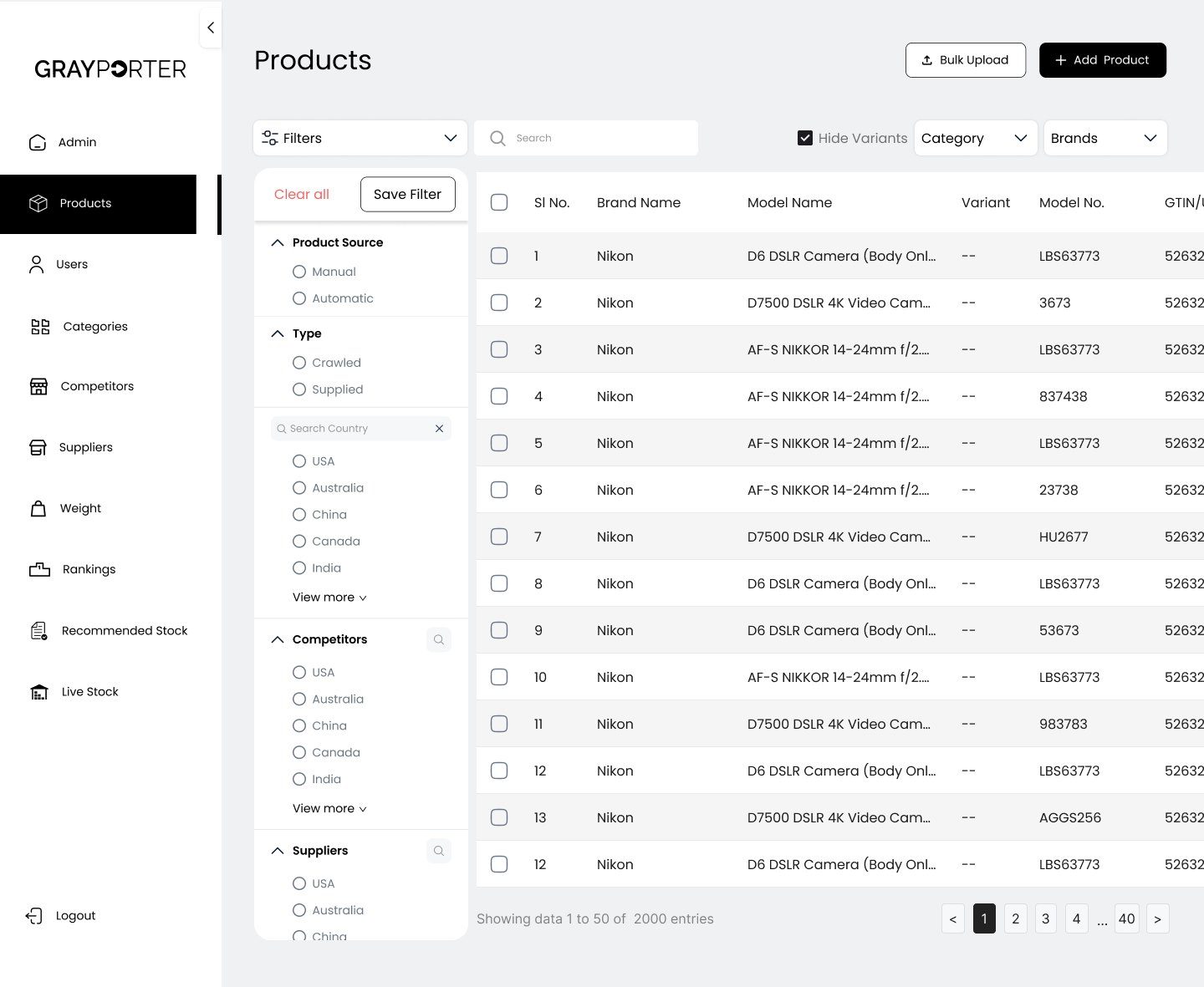
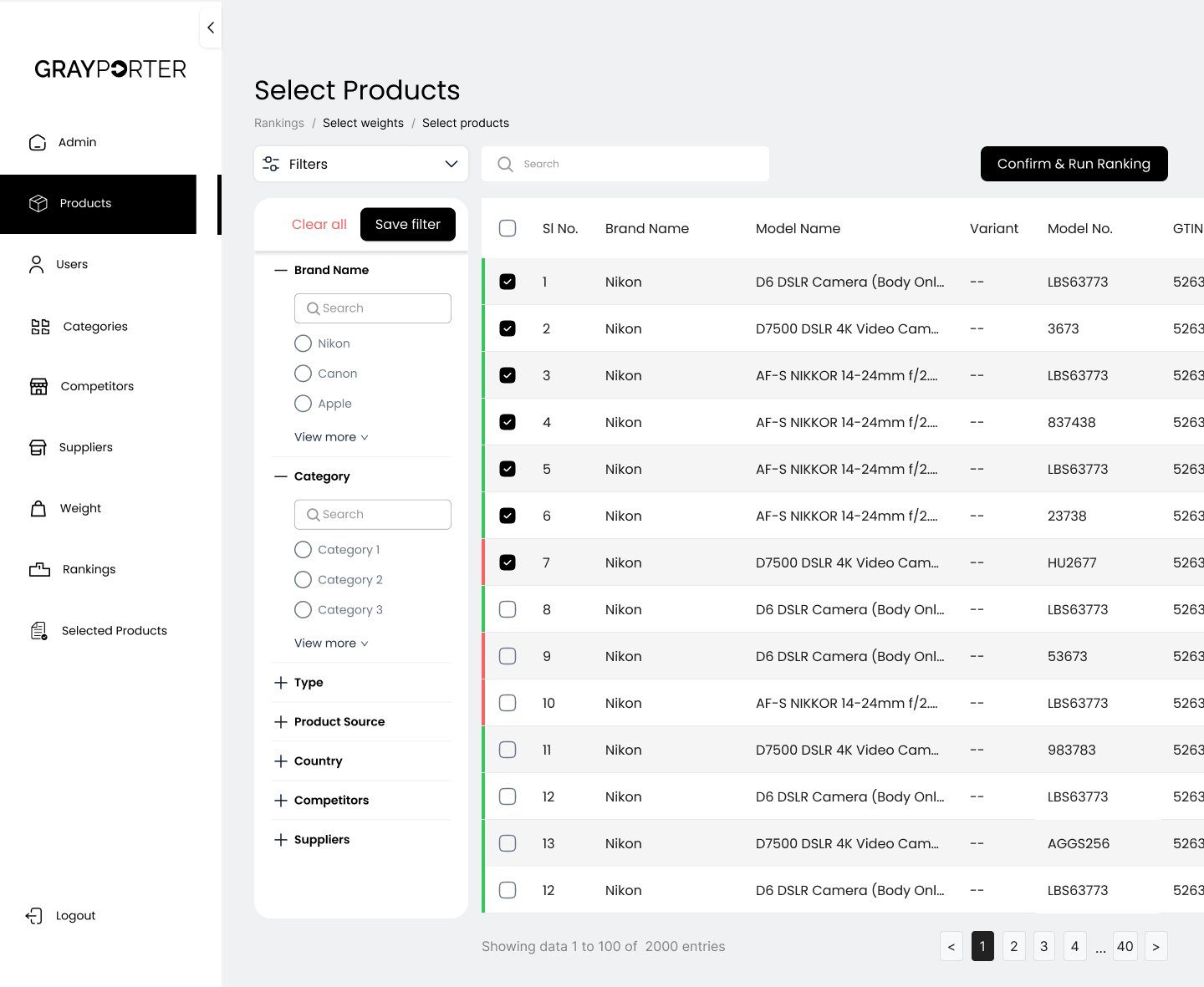
The products list brings together everything the team tracks: crawled and supplied products, their competitors and suppliers, and the countries they sell in. Filters follow the questions buyers actually ask, like "which supplied Nikon products sell in the UK?"
02 C · Ranking
A ranking the business can tune itself.
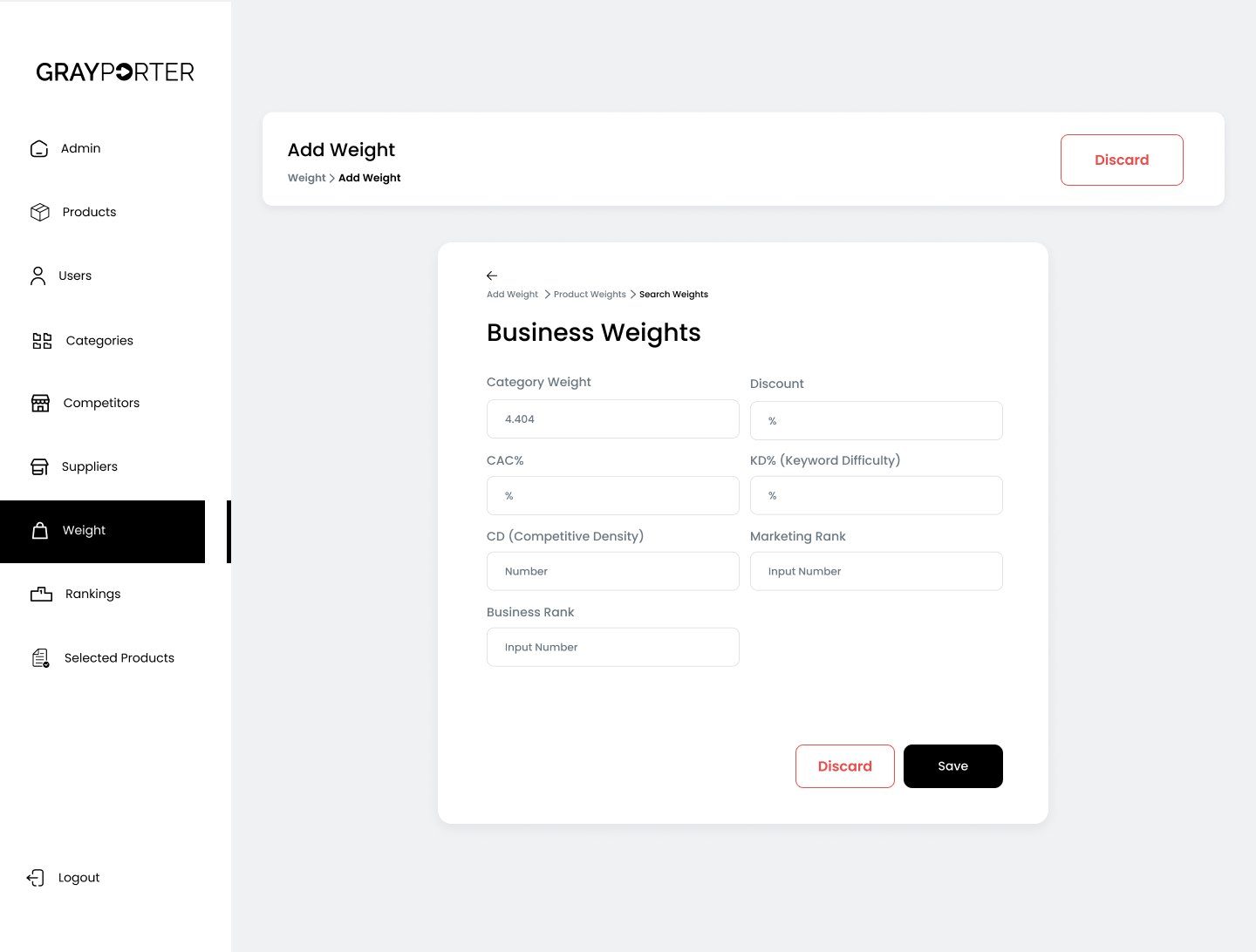
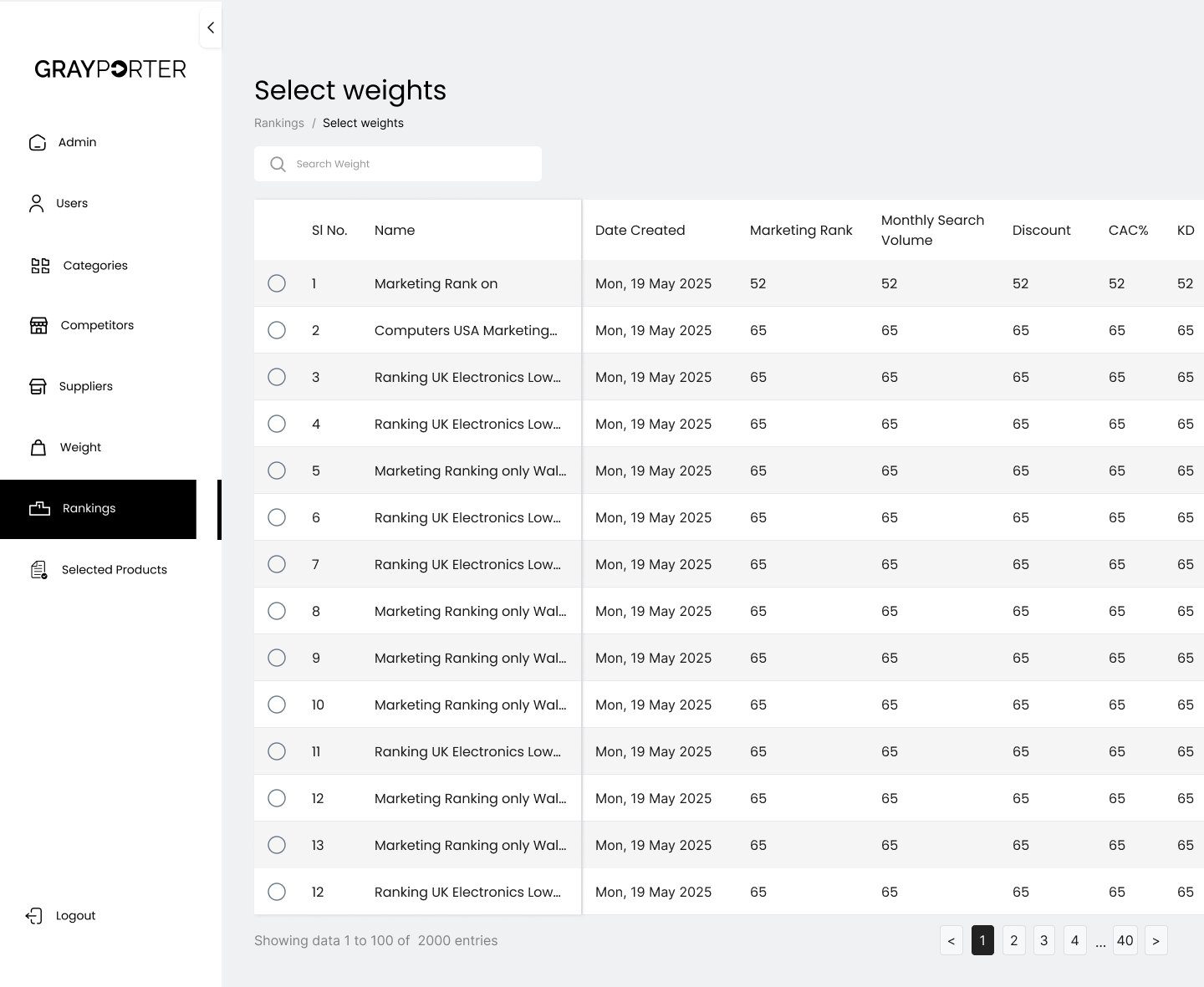
The ranking algorithm orders products by how well they suit GrayPorter to sell. Instead of a fixed formula, the team sets the weights: how much category, discount, customer acquisition cost, keyword difficulty, competitive density, marketing rank and business rank should count.
- 01
Weights, not a black box
The owner decides what matters this season, and can see exactly why one product ranks above another.
- 02
Two steps to a ranking
Pick the weights, pick the products, run. The breadcrumb shows where you are and lets you step back.
- 03
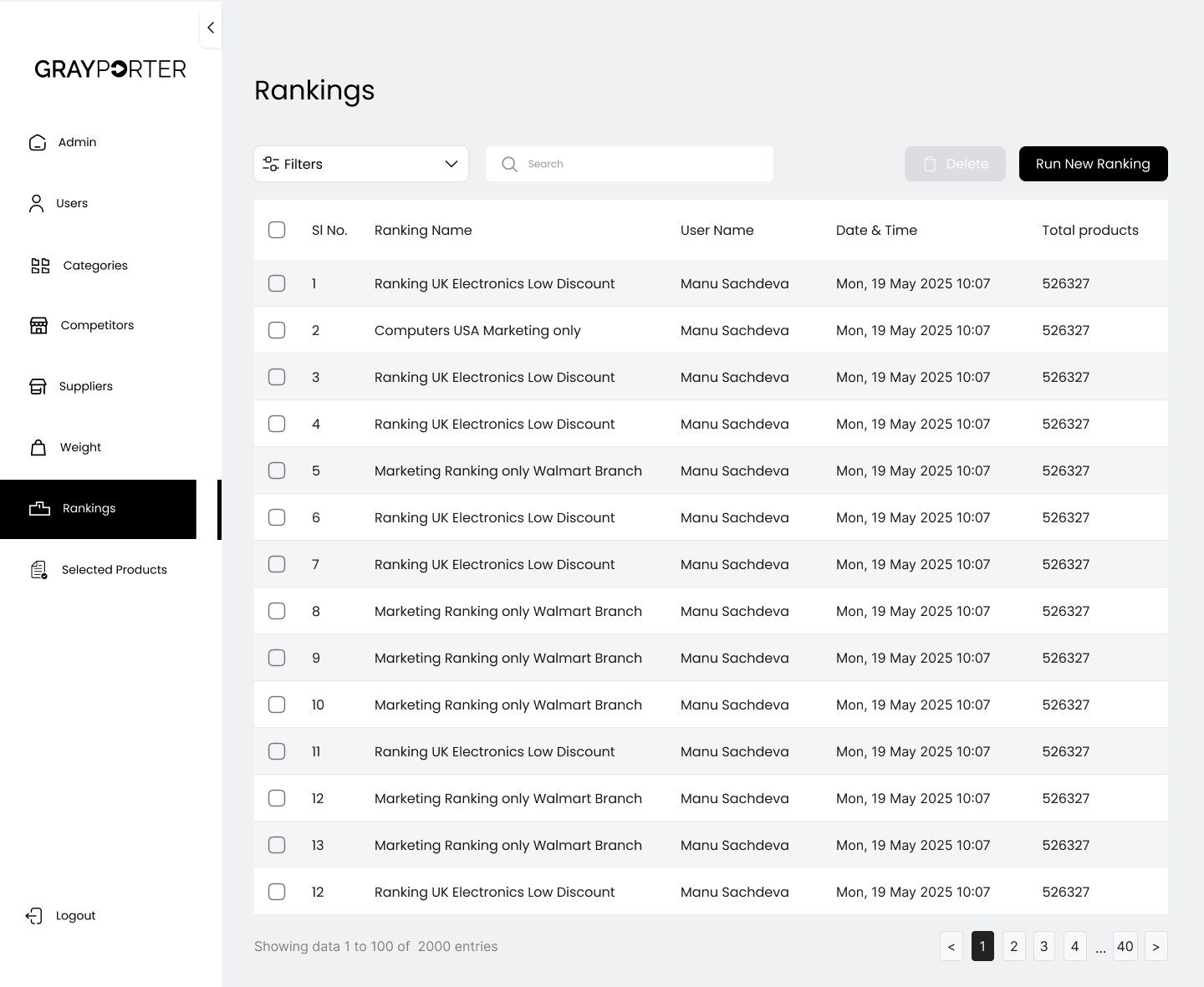
Rankings you can come back to
Each run is saved with a name, an author and a time, so the team can compare a UK run with a US one.
02 D · Price calculator
Know your price before you call the supplier.
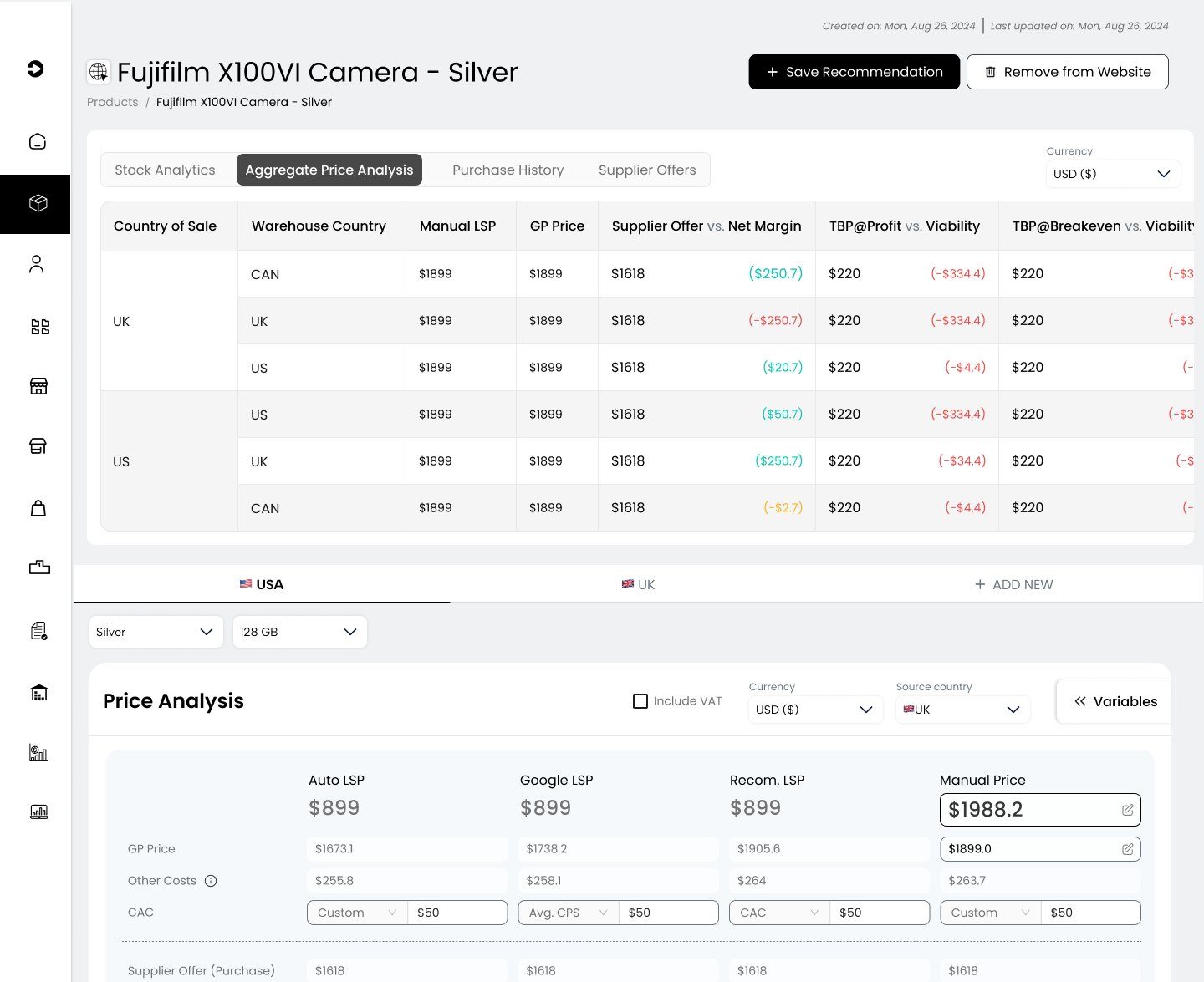
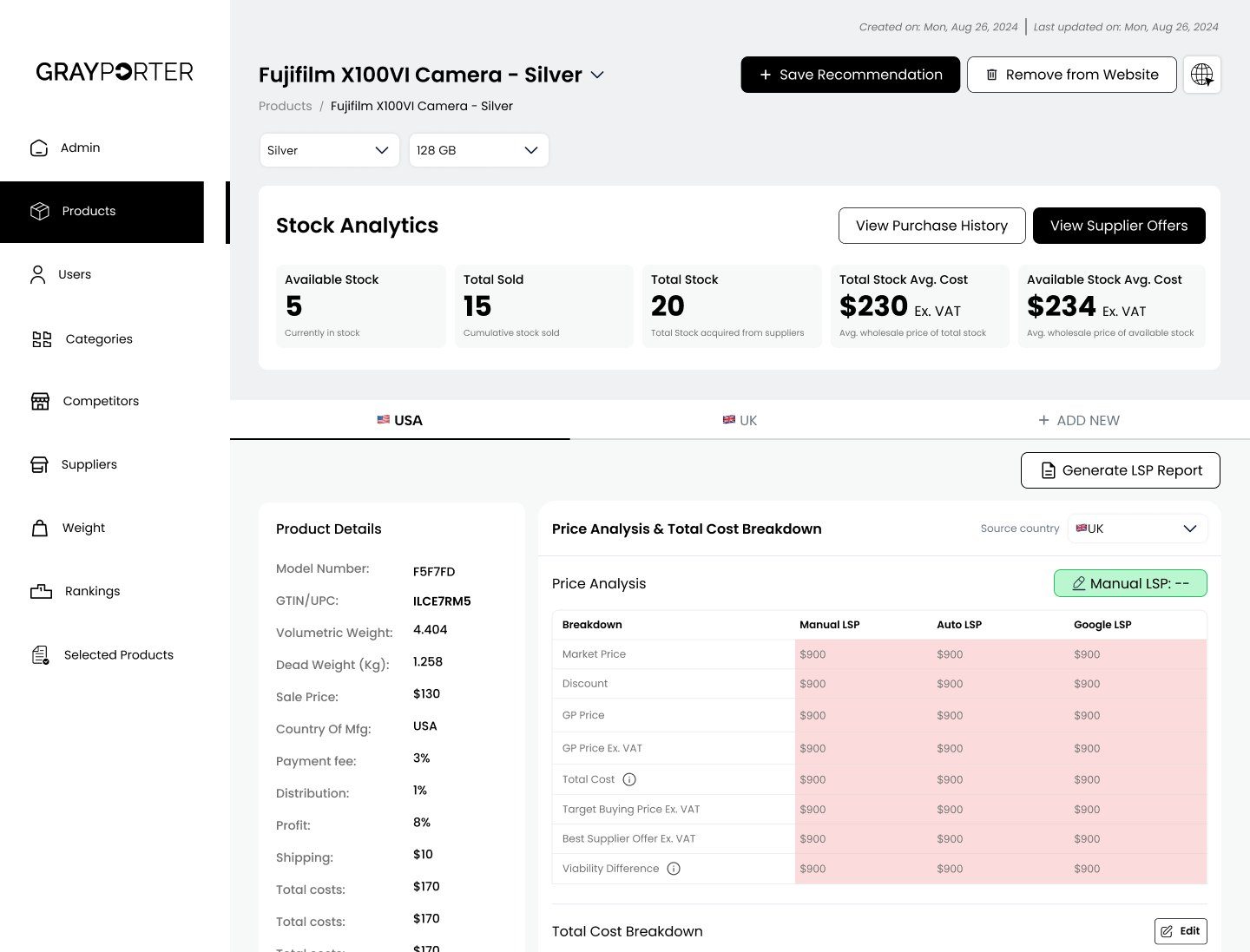
From the ranking, the owner chooses which products to buy. The price calculator then answers the question that decides the margin: if a supplier offers this camera at a given price, what profit is left after every cost? It works backwards too, to the most GrayPorter can pay and still make its target profit, or break even.
- 01
A number to negotiate with
The target buying price tells the owner the most they can pay, so a supplier call starts with a limit, not a guess.
- 02
Every cost in one place
Payment fees, shipping, distribution, tax and customer acquisition cost are all counted, from real marketing and sales data, and each can be edited.
- 03
Per country
The same camera can be bought in one country and sold in another, so the margin is shown for each route.
02 E · After launch
The real profit on every sale.
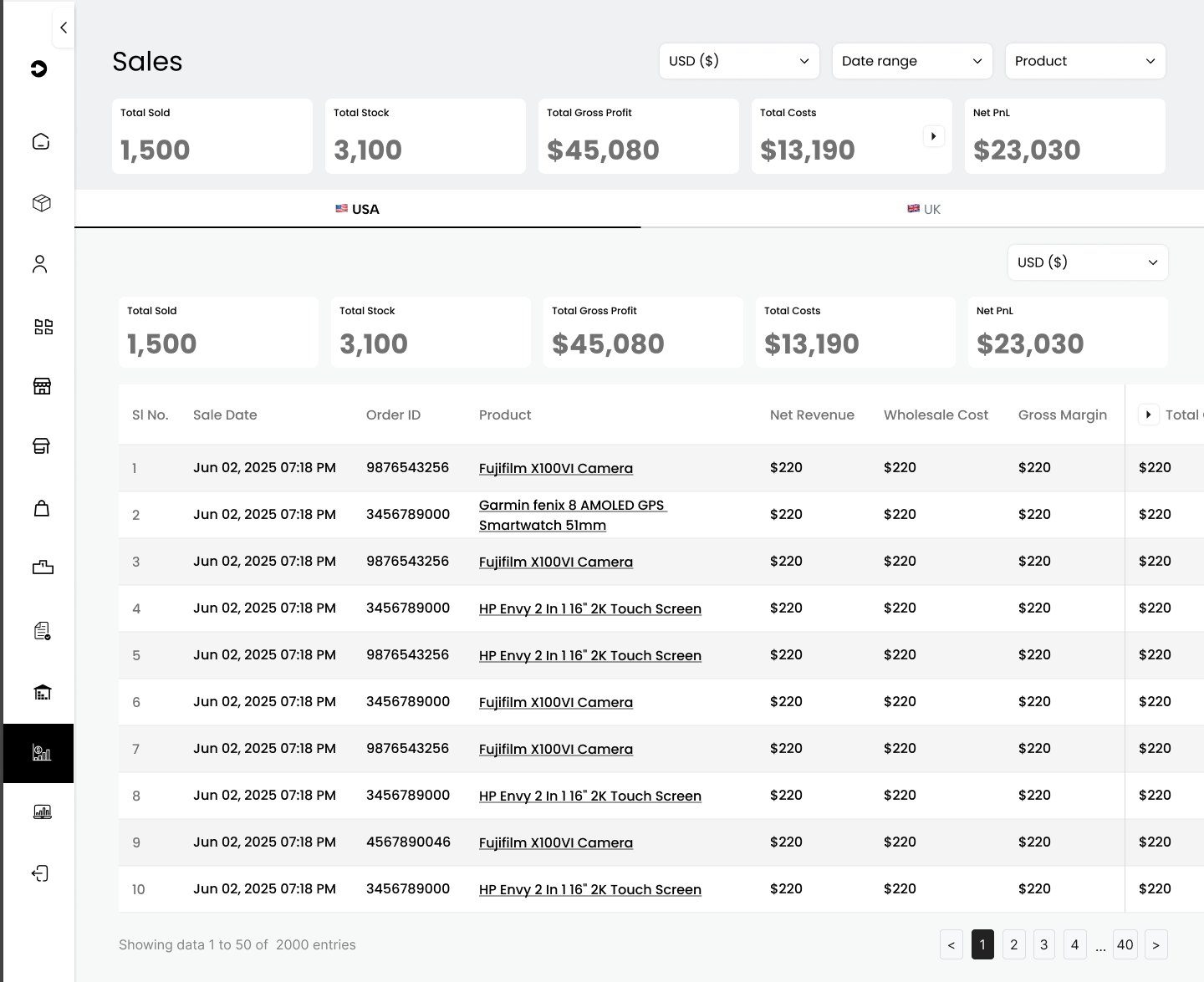
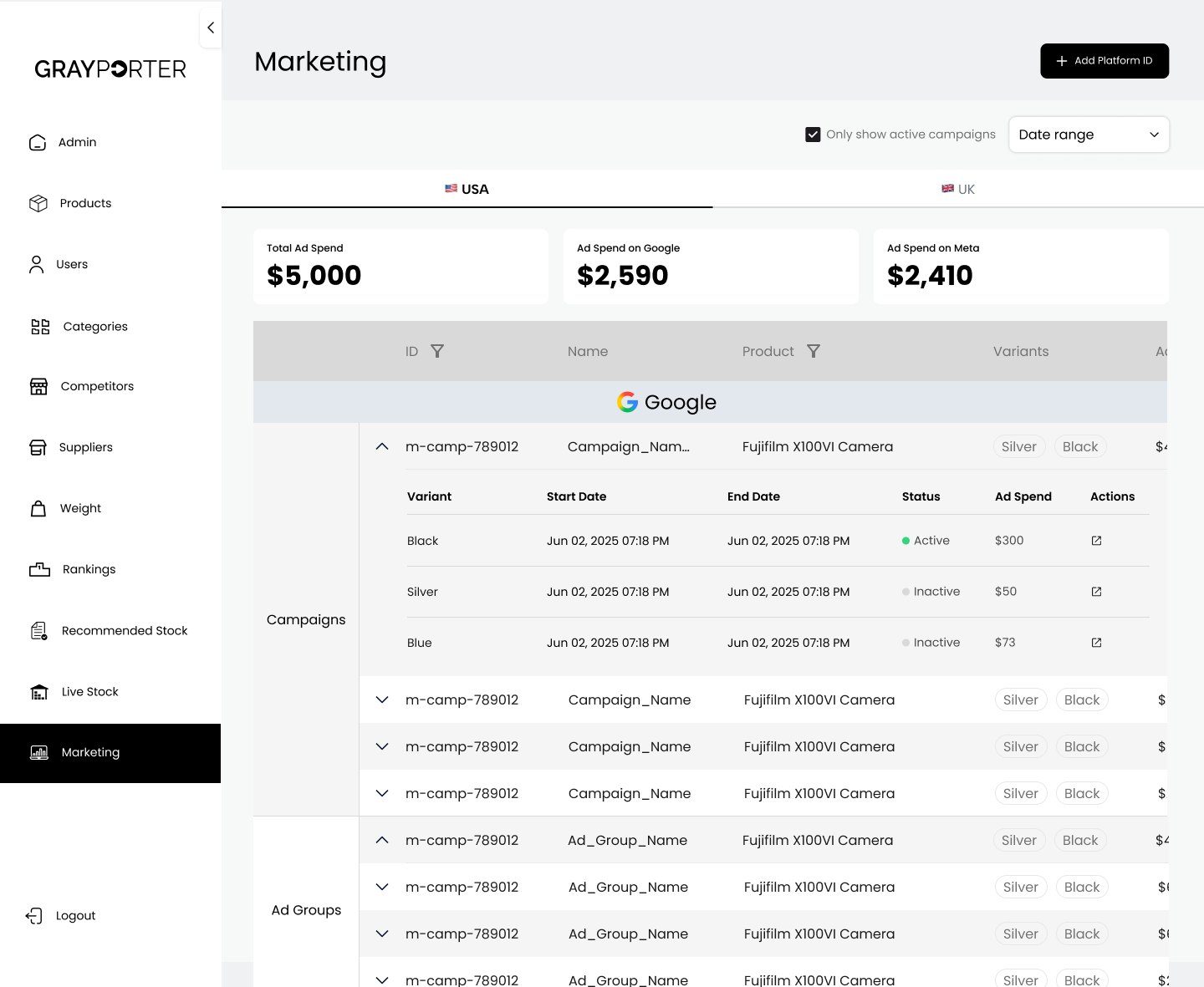
Once a product is live, the tool keeps watching it. Sales shows how many units sold, the gross profit, every cost behind it, from shipping and handling to payment fees and ad spend, and the net profit or loss, by country and by order.
- 01
Net, not just revenue
Revenue can look healthy while ads and shipping eat the margin, so net profit sits beside it everywhere.
- 02
Costs that open up
Total costs expand into shipping, payment fees and ad spend, so a loss can be traced to its cause.
- 03
One source of truth
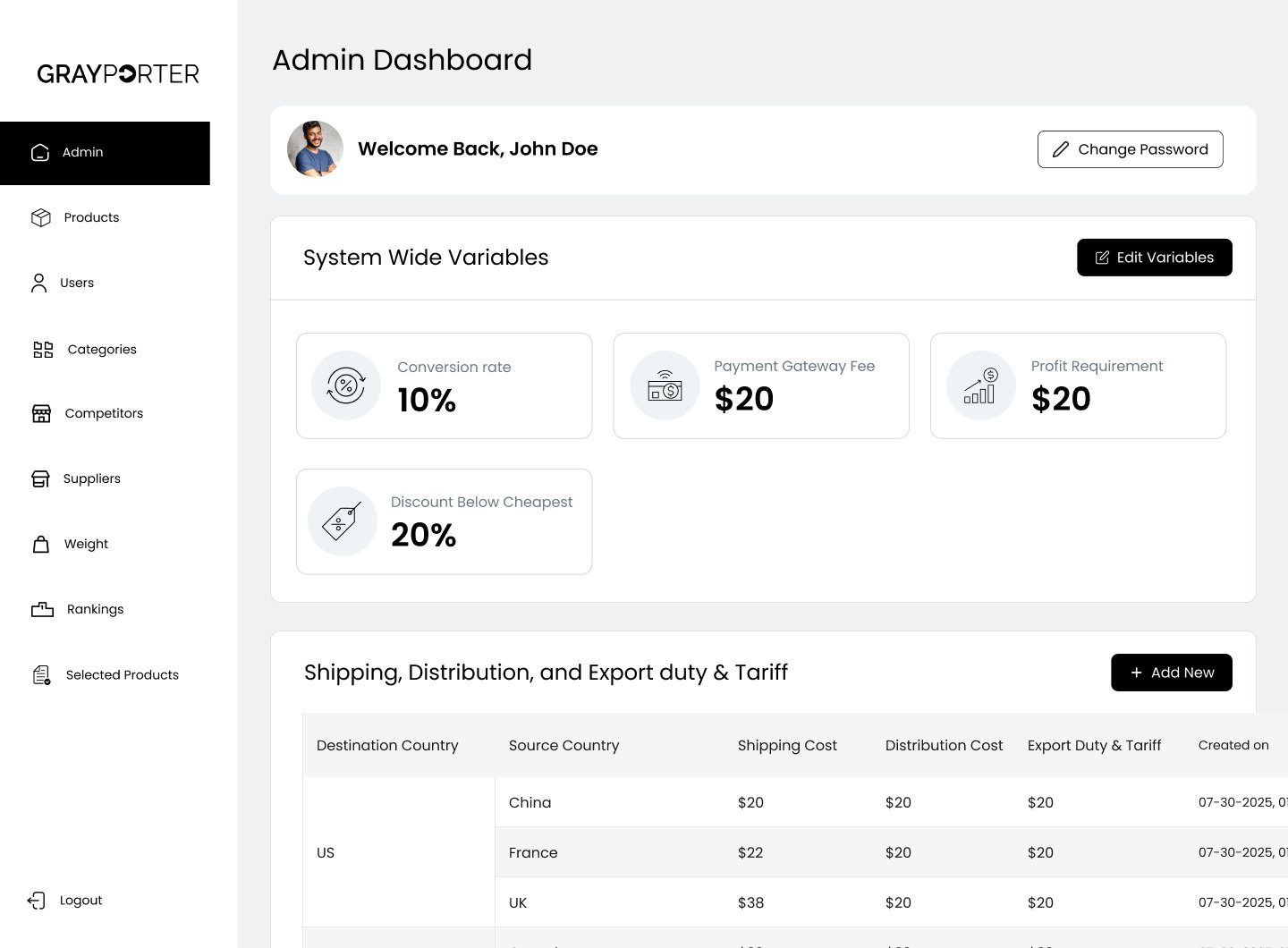
Fees, profit targets and shipping rates are set once in the admin area, and every screen uses the same numbers.
- The problem
- Homepage
- Product page
- Cart and checkout
- Mobile
The store
The problem
Traffic, almost no sales
An unknown store, a low price
Shoppers did not trust a seller they had never heard of pricing below the market.
Doubt at the moment of buying
People spending this much research the seller as well as the camera, and the old pages left those questions unanswered.
A long road to pay
Checkout was a long form, on a site where most visitors were on a phone.
From the audit
What the data showed
313 sessions
of traffic on mobile
shoppers who added to cart did not start checkout
form fields across two checkout steps
of sessions were first-time visitors
Answer each doubt where it comes up.
So we treated each page as a set of questions the shopper is asking, and placed each answer at the point of doubt: why the price is lower, who stands behind the camera, and what happens if something goes wrong. We followed the conventions of established camera retailers wherever GrayPorter had no reason to differ.
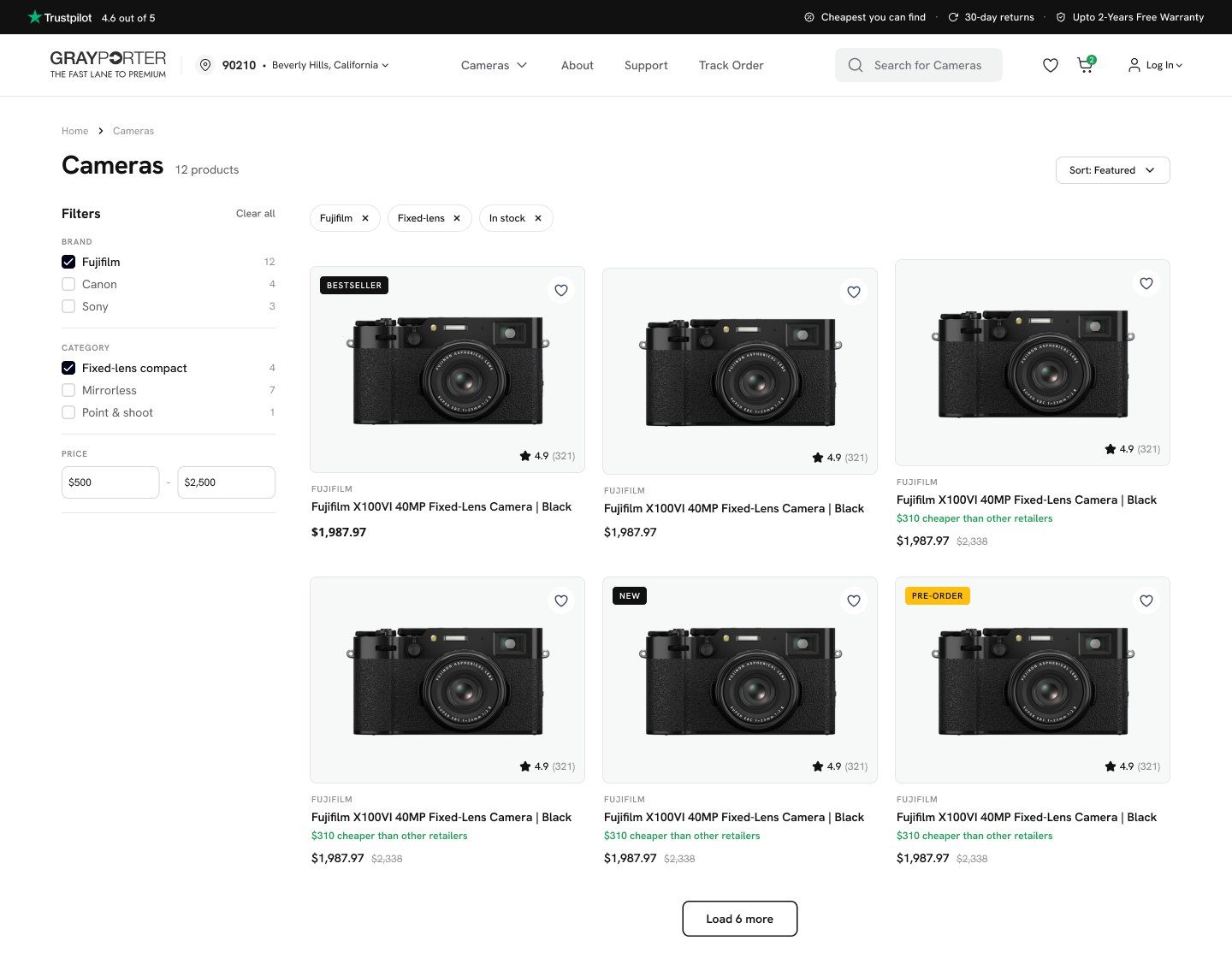
03 A · Homepage and browsing
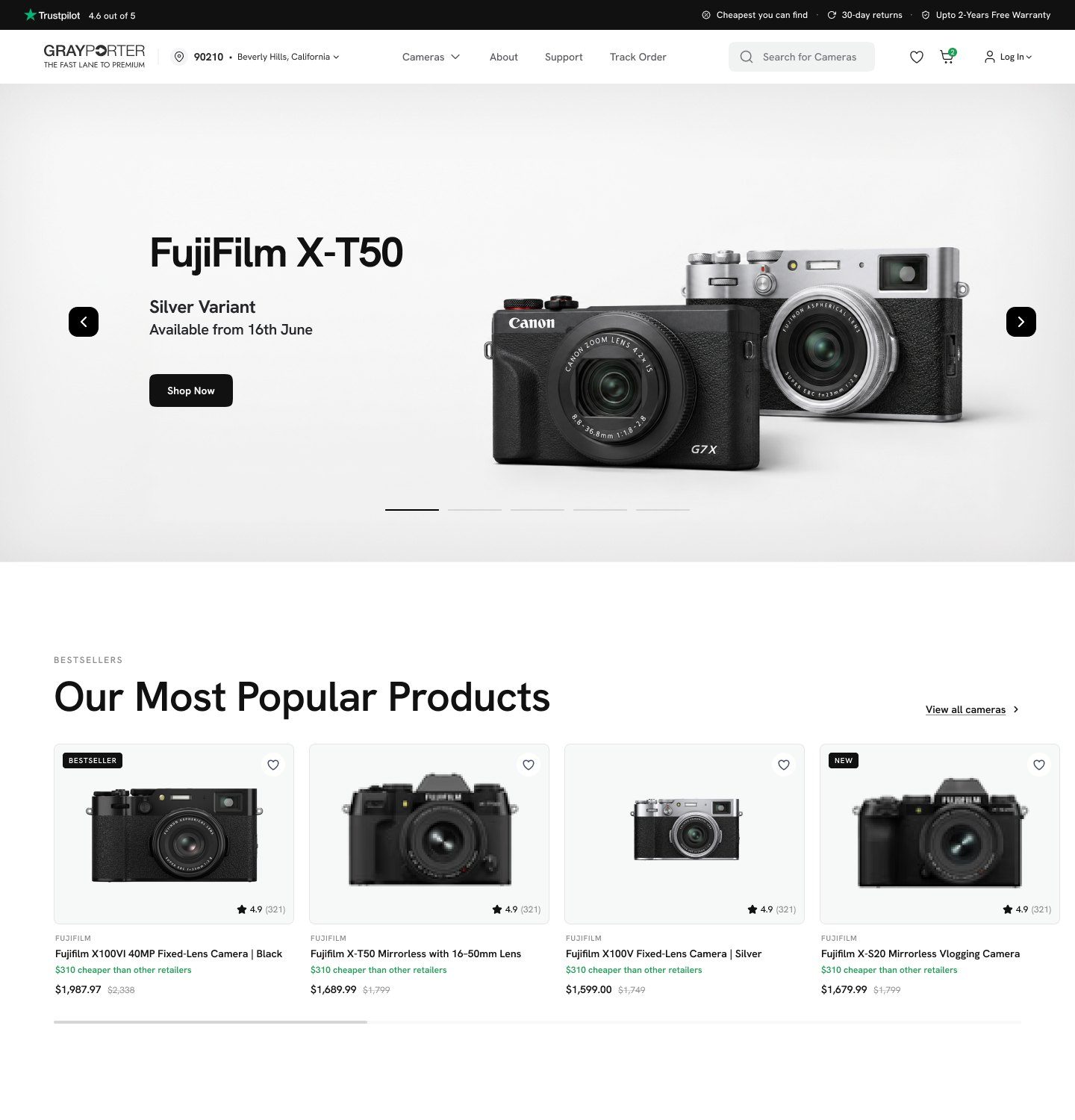
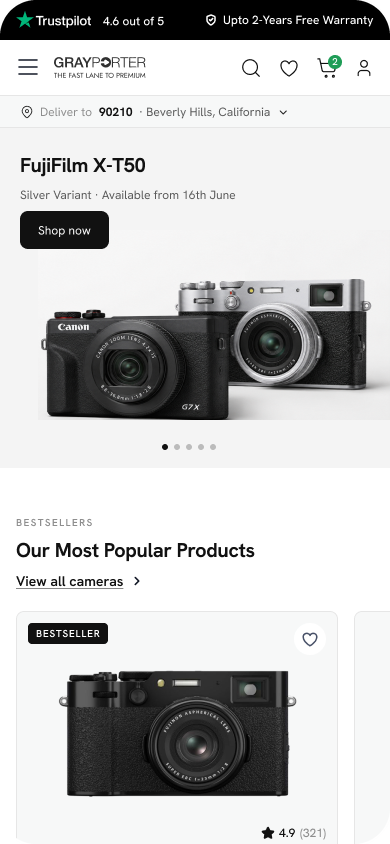
Lead with the camera, then the reasons to trust it.
The homepage opens on the products people come for, then makes the case for buying here: the cameras you can't find elsewhere, always in stock, with free returns, a longer warranty and real human support.
03 B · Product page
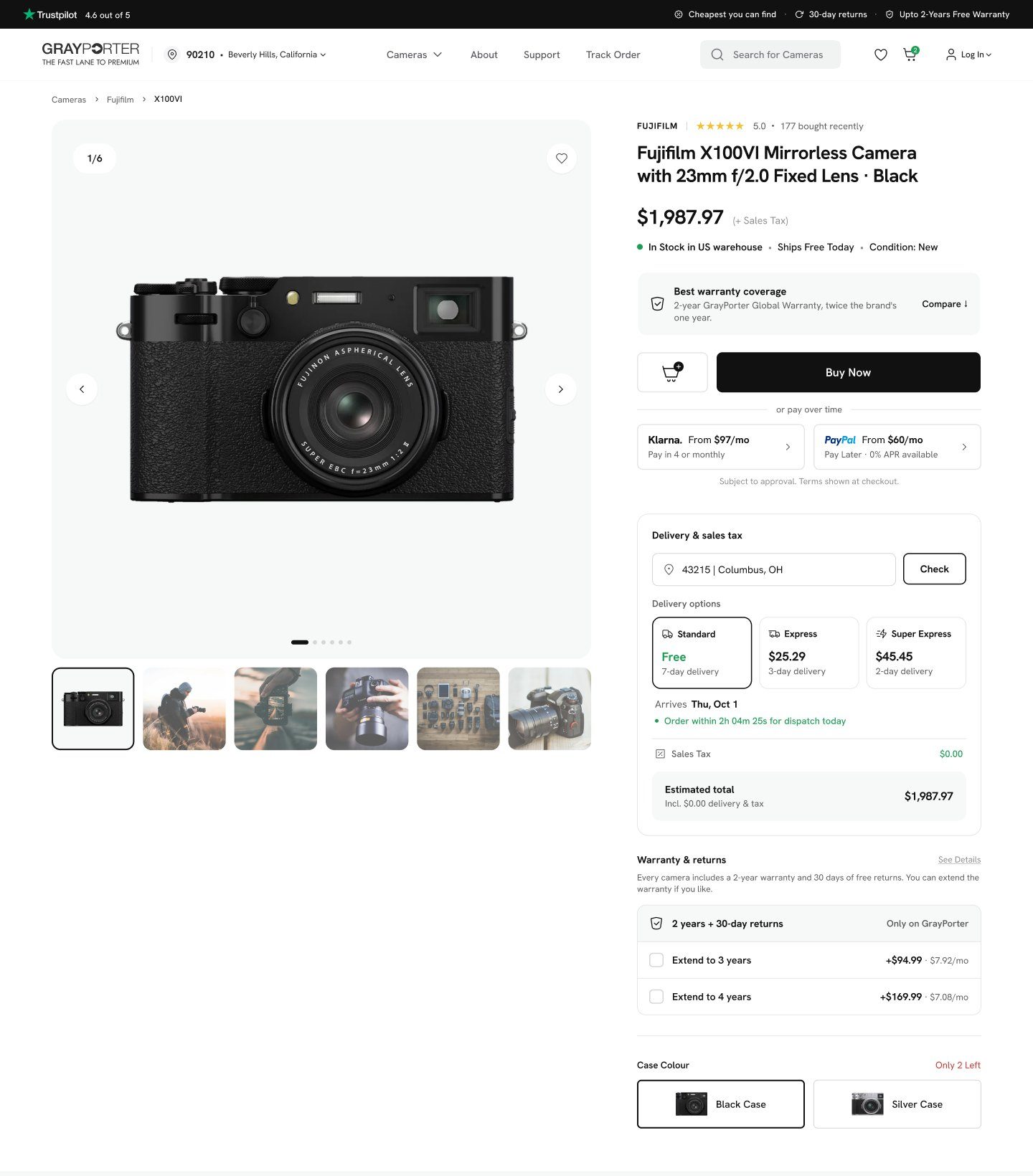
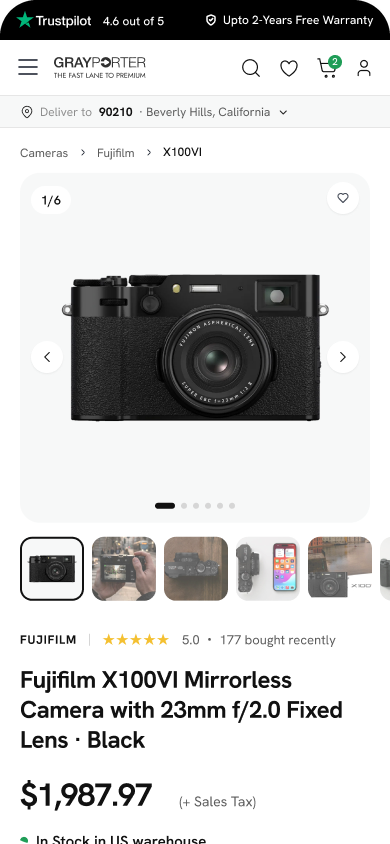
Explain the low price beside it.
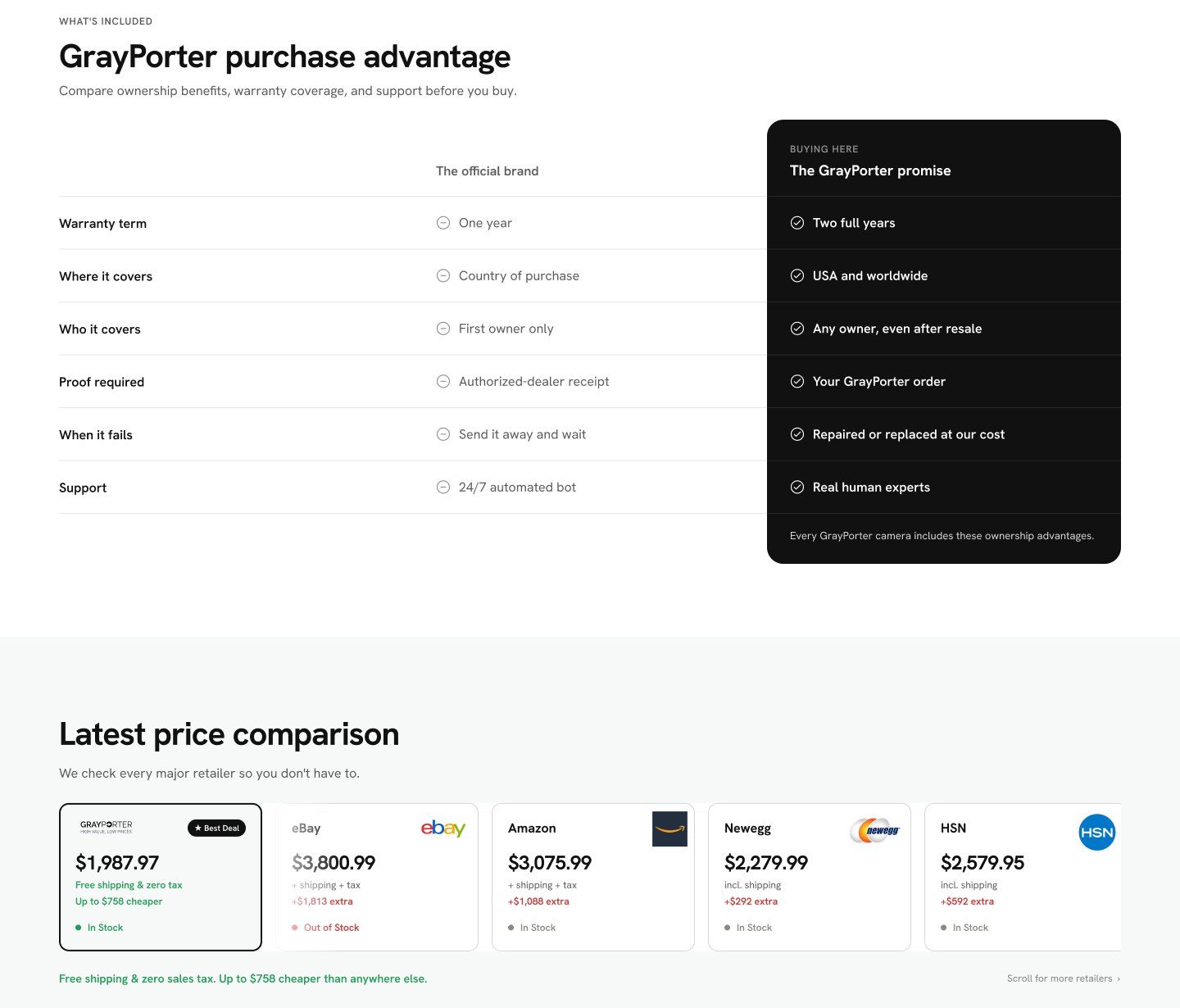
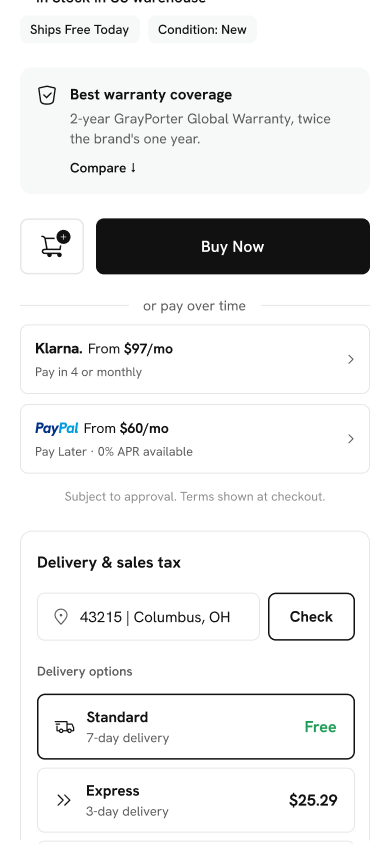
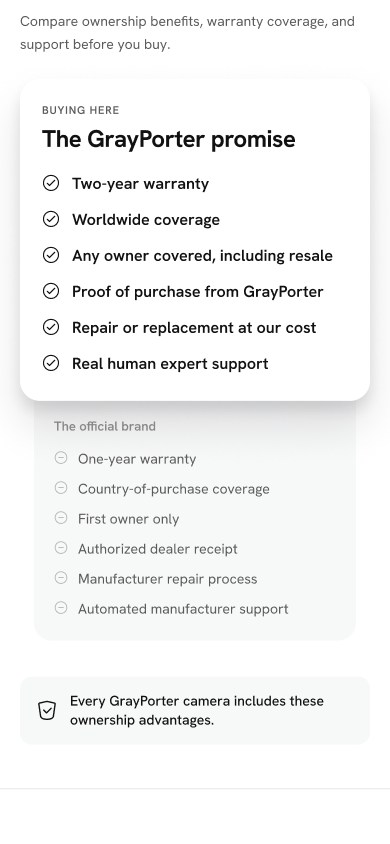
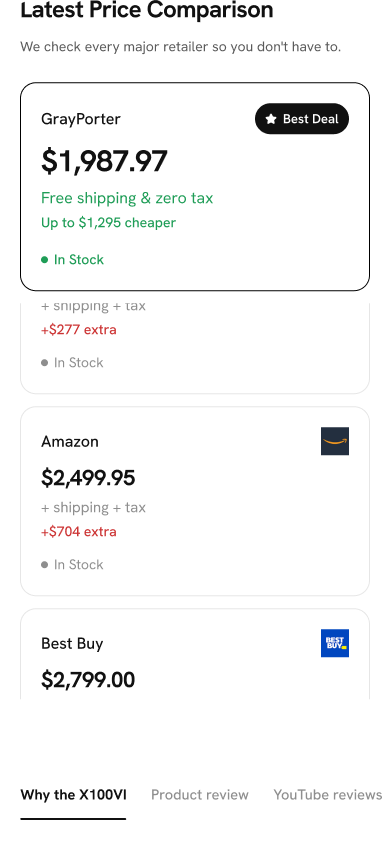
The product page answers the doubts in the order they come: the price and what it includes, delivery and tax for your zip code before you commit, then a side by side comparison of GrayPorter's promise against the official brand warranty, and today's price at every major retailer.
- 01
The saving, with proof
A live comparison with eBay, Amazon, Newegg and others shows the price is real, and how much it saves.
- 02
A better promise than the brand
A two-year warranty for any owner, anywhere, set beside the official one-year, one-country cover.
- 03
No surprises at checkout
Delivery dates and sales tax are checked on the product page, before the camera goes in the cart.
03 C · Cart and checkout
Fewer steps between "add" and "paid".
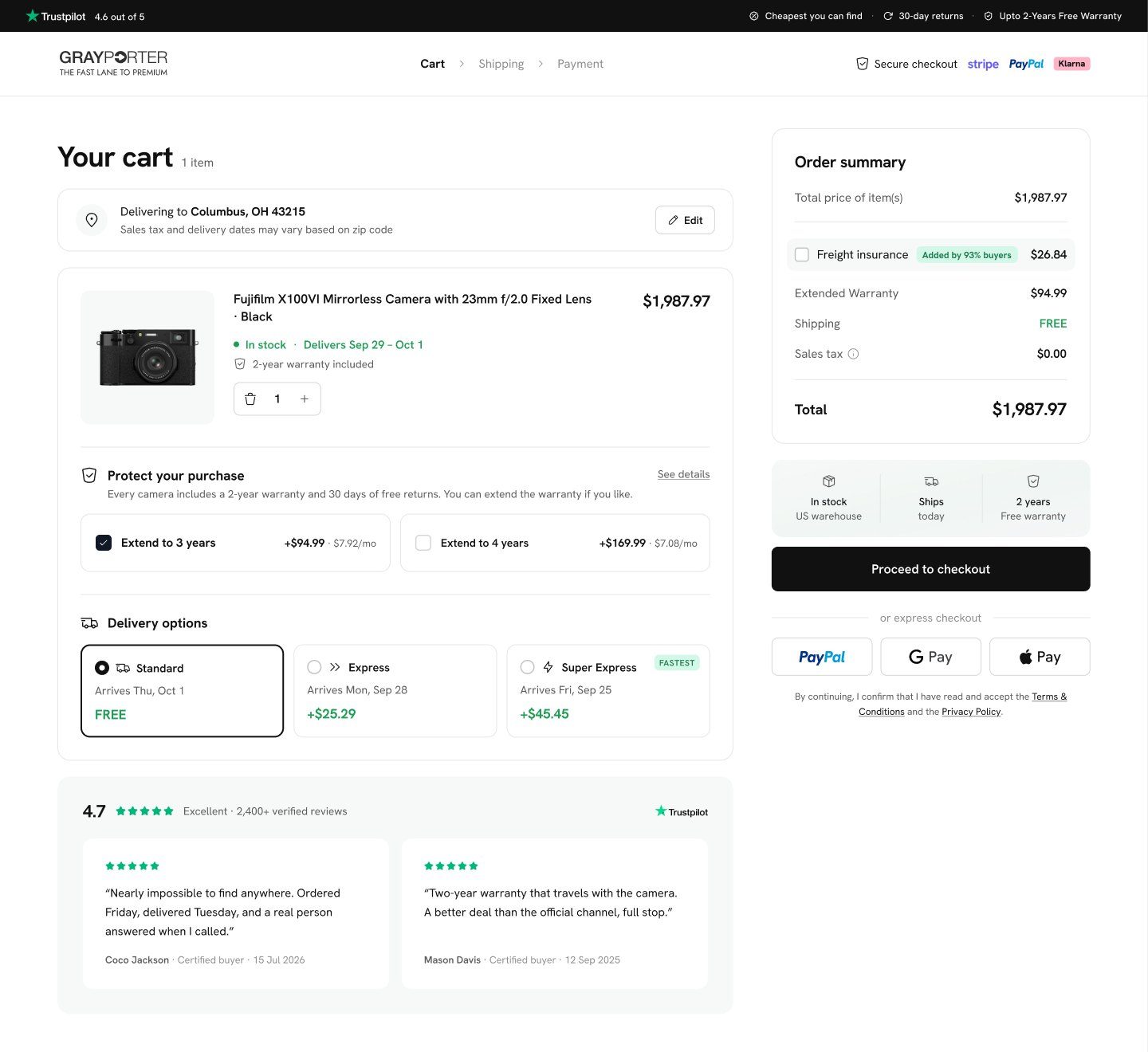
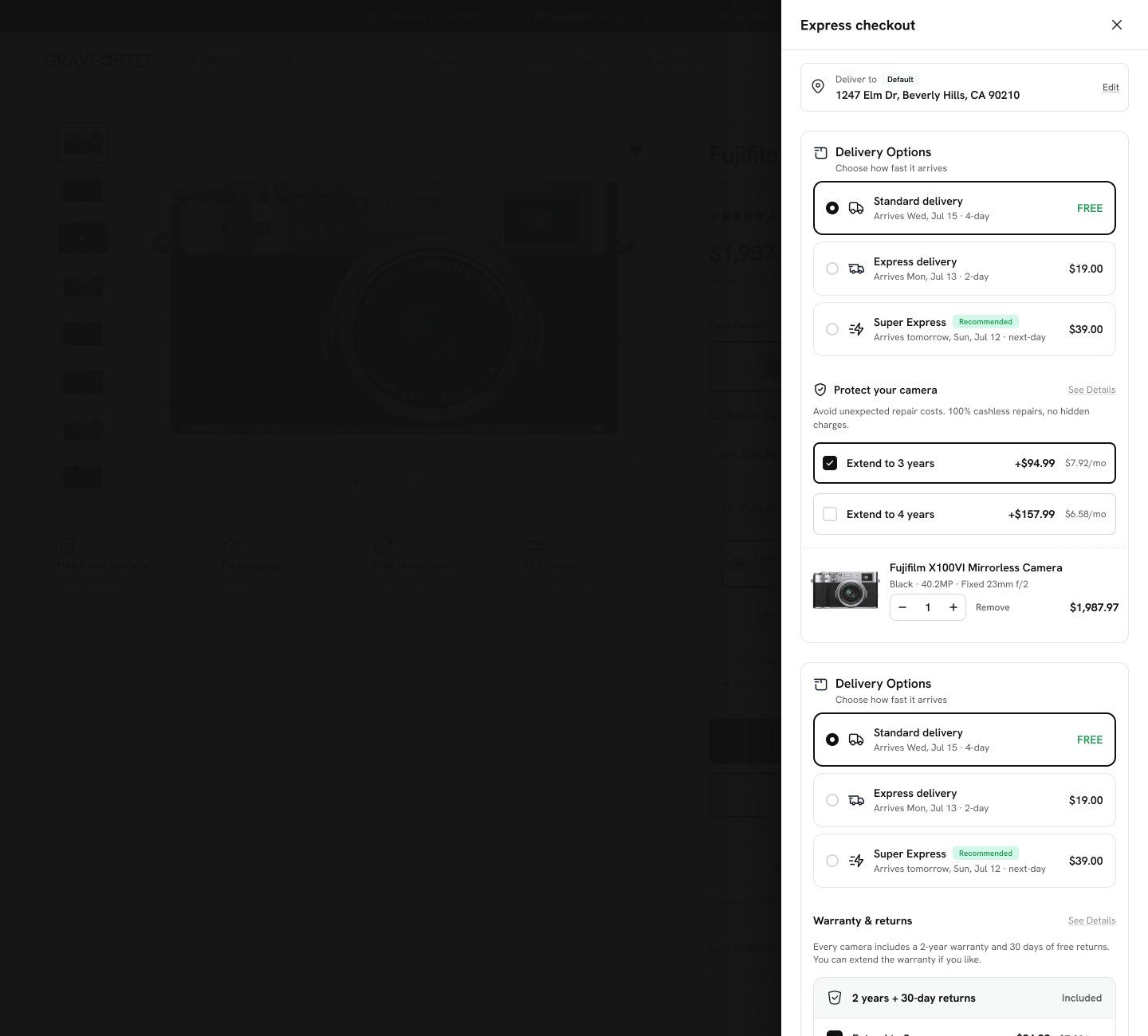
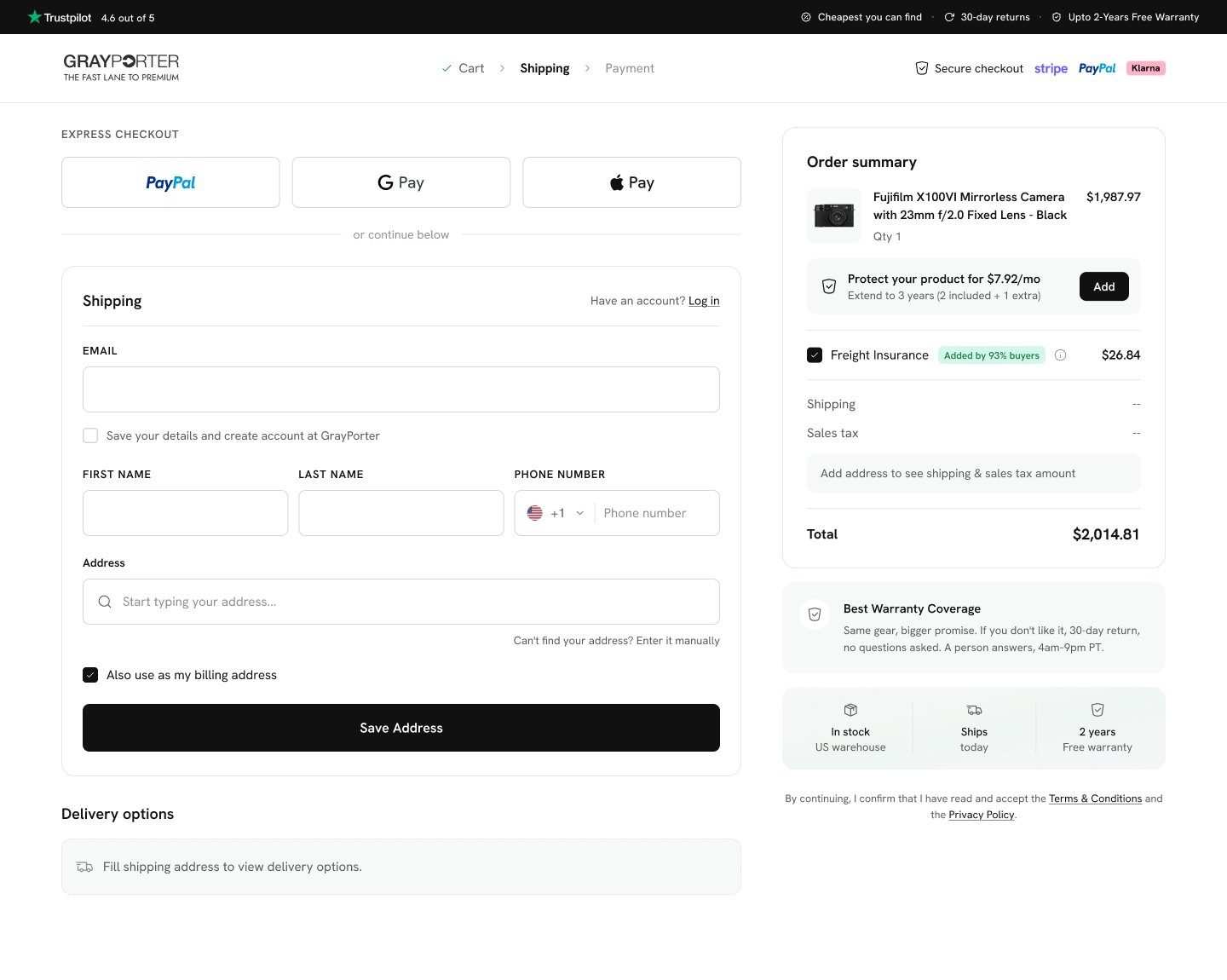
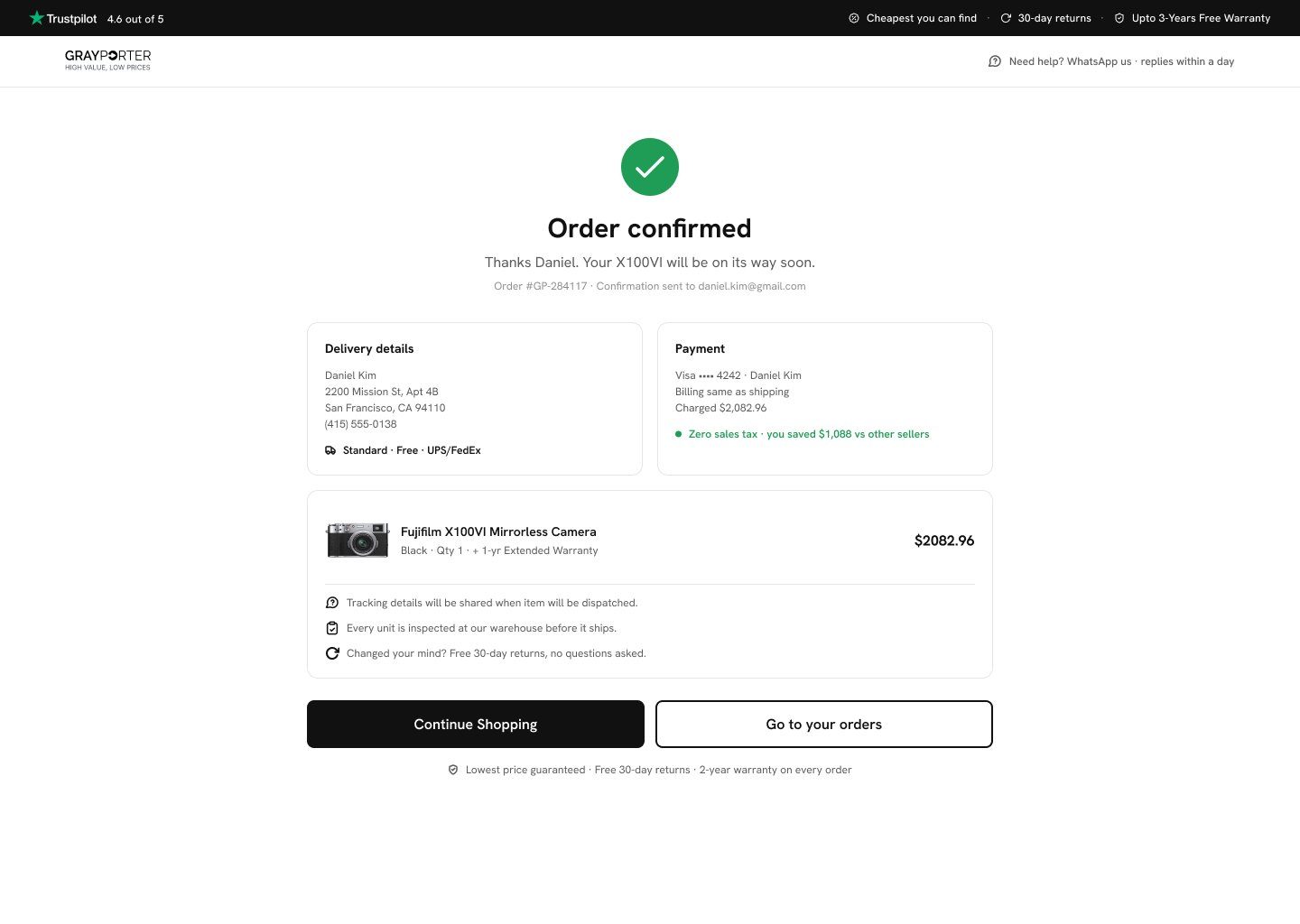
The cart carries the decisions made on the product page: the warranty extension, priced per month, and the delivery speed. Express checkout with PayPal, Google Pay and Apple Pay skips the form entirely, and the full checkout keeps to one short page per step.
03 D · Mobile
Designed for the phone first.
Most shoppers arrive on a phone, so every page was designed for it: the buy action stays in reach, and the comparisons stack into cards you can scroll with a thumb.
Learnings
What I learned
Show the maths, then hide it
People trusted the ranking and the calculator once they could open up any number and see where it came from.
Design the whole loop
The store's low prices only work because of decisions made in the tool, so designing both kept them honest.
Doubt is a design problem
For an unknown seller, every unanswered question on the page is a reason to leave.